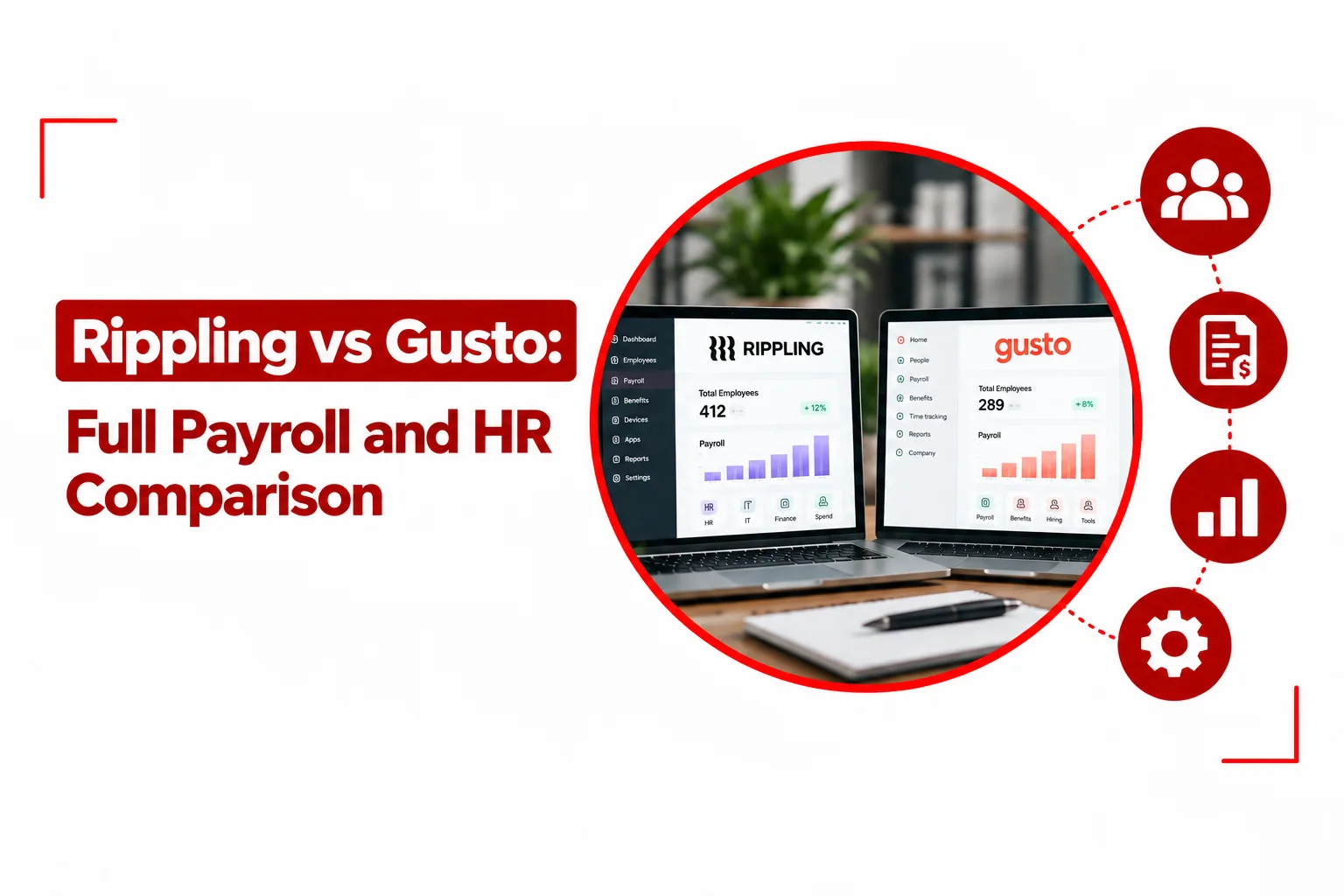

Payroll software can start as a simple way to run paychecks and quickly become the system handling employee records, benefits, tax filings, time tracking, and onboarding. That is where Rippling vs Gusto becomes an important comparison for growing companies.
Gusto focuses on payroll, benefits, and HR for US businesses, with published plans starting at $49 per month plus $6 per person. Rippling takes a broader approach, combining HR and payroll with IT, app access, device management, and global workforce tools. Platform pricing starts at $8 per employee per month, with additional costs based on the products a company adds.
Table of Contents
Rippling vs Gusto: At a Glance
| Feature | Rippling | Gusto |
|---|---|---|
| Primary focus | HR, payroll, IT, finance, and workforce management | Payroll, HR, benefits, and contractor payments |
| Starting price | $8 per employee/month for core platform | $49/month + $6/person |
| Payroll | US and global payroll options | US payroll |
| Multi state payroll | Yes | Yes, on Plus and Premium |
| International contractors | Yes | Yes, in 120+ countries |
| Global payroll | Yes | No |
| EOR | Available | No |
| Benefits administration | Yes | Yes |
| Time tracking | Yes | Available on Plus and higher plans |
| IT app management | Yes | No |
| Device management | Yes | No |
| App provisioning | Yes | No |
| Best fit | Growing companies combining HR, payroll, and IT | US businesses wanting straightforward payroll and HR |
Gusto makes sense for:
- US based businesses that mainly need payroll, benefits, and HR
- Small teams that want published pricing
- Companies running domestic payroll across one or multiple states
- Businesses paying international contractors without needing international employee payroll
Rippling makes sense for:
- Growing companies combining payroll and HR with IT
- Teams that need employee app and device management
- Businesses hiring workers internationally
- Companies that want employee changes to trigger connected HR and IT workflows
Core Differences Between Rippling and Gusto
The biggest gap between Rippling and Gusto is not payroll itself. Both can handle payroll, tax administration, employee information, benefits, and related HR tasks. The difference comes from what sits around payroll. Gusto is centered on the employee side of the business. Payroll, benefits, onboarding, time tracking, and HR tools live together, giving smaller US businesses a relatively straightforward way to manage their workforce. Gusto also supports contractor payments in more than 120 countries.
Rippling treats employee data as the starting point for a wider set of business systems. A new employee can trigger payroll, benefits enrollment, app access, device provisioning, and other workflows from the same employee record. Its IT platform handles app provisioning, device management, access controls, and automated device deployment.
That broader setup gives Rippling more room to connect HR with IT operations. Gusto keeps its focus much closer to payroll, benefits, and everyday HR administration.
Related Article: Best HR Software for Small to Medium Businesses
Rippling vs Gusto Feature Breakdown
Payroll and Tax Automation
Gusto’s payroll system is built for US employers. Its Simple plan includes single state payroll, unlimited payroll runs, tax filings, tax payments, and basic PTO policies. Plus adds multi state payroll, next day pay, and time tracking.
Rippling also handles US payroll, including multi state payroll and automated tax processes. Payroll can connect directly with employee records, time tracking, benefits, and other Rippling modules, so payroll data does not have to live in a separate system. For a company that simply needs reliable US payroll, Gusto covers basic requirements without requiring a large collection of modules. Rippling becomes more useful when payroll needs to connect with other employee operations.
Benefits and HR Management
Gusto combines payroll with benefits administration, employee onboarding, self service, time tracking, and other HR features. Its Plus plan adds more advanced HR and time management features to the payroll platform.
Rippling keeps benefits, payroll, time tracking, and HR records together, so employee information stays in one place. Its workflows can also handle tasks that follow a hire, role change, or departure, including updates to benefits and access. For a small company that mainly wants payroll and benefits, Gusto’s setup can be easier to understand. Companies with more connected HR processes may get more value from Rippling’s wider automation.
Global Workforce Capabilities
Gusto supports international contractor payments in more than 120 countries. There is no monthly per contractor fee for the Global Contractor Payments service, although payment and foreign exchange fees can apply. Rippling goes further into international workforce management. Its global workforce products cover international payroll and contractor management, while EOR services are available for companies hiring employees abroad. Rippling lists global payroll coverage across 185+ countries and contractor services across a broad international network.
That gives Gusto a useful international option for contractor payments, while Rippling has a broader set of tools for companies building teams across several countries.
IT and Device Management
This is where Rippling pulls well away from Gusto. Rippling can automatically provision apps when employees join a company, remove access when they leave, and assign permissions based on employee information. Its IT platform also supports device management, zero touch deployment, security controls, patching, and device inventory.
Gusto does not offer a comparable native IT management suite. Its focus stays on payroll, benefits, HR, and workforce administration. For a 15 person business with a few standard applications, dedicated IT automation may not be a priority. For a growing technology company onboarding dozens of employees, connecting HR and IT can remove a lot of manual work.
Rippling vs Gusto Pricing
Price is one of the clearest points of separation between the two platforms.
Gusto Pricing
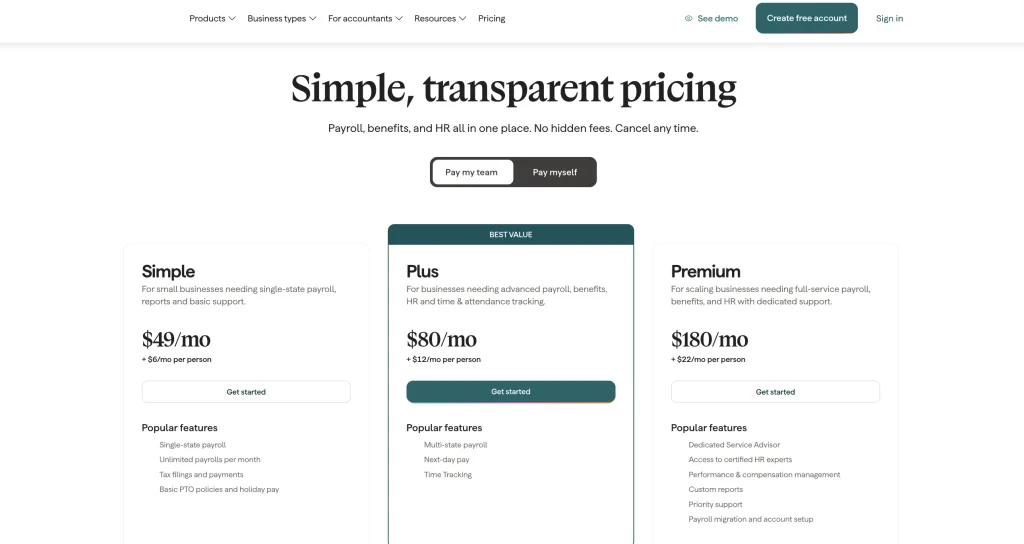
Gusto’s pricing is available online:
- Simple: $49 per month plus $6 per person
- Plus: $80 per month plus $12 per person
- Premium: Custom pricing
Simple covers single state payroll, unlimited payroll runs, tax filings and payments, and basic PTO. Plus adds multi state payroll and time tracking, while Premium adds full service payroll and dedicated support. Gusto also offers international contractor payments in more than 120 countries without a monthly per contractor fee. Transaction and foreign exchange fees can apply.
Related Article: Deel vs Gusto: Which Payroll Platform Wins for Growing Businesses?
Rippling Pricing
Rippling uses a modular pricing structure. Its main workforce platform starts at $8 per employee per month, with additional products priced according to the modules a company selects. Payroll, benefits, time and attendance, IT management, global workforce tools, and other services can be added to the platform.
That means the $8 starting figure does not describe the full price of a payroll setup. A company using HR, payroll, benefits, time tracking, and IT will pay more than a company using standard workforce features alone.
For buyers comparing the two, Gusto offers a much clearer starting point. Rippling requires a closer look at the exact modules your company needs.
Setup and Ease of Use
Gusto keeps the setup process focused on payroll and HR. A small business can work through employee information, tax details, direct deposit, benefits, and payroll settings without configuring an IT environment at the same time.
Rippling can involve more setup because the platform can connect HR with payroll, benefits, applications, devices, permissions, and workflows. That creates more configuration work, but it also gives administrators more control over what happens when employee information changes.
The best fit here comes down to how much you want the software to handle. Gusto keeps the system focused. Rippling gives you more areas to configure and connect.
When to Choose Gusto
Gusto fits well with a company that:
- Has a primarily US based workforce
- Needs payroll, tax filing, benefits, and HR in one place
- Wants publicly listed pricing
- Has a small or mid sized team
- Pays some international contractors but does not need an international EOR
- Wants payroll software that employees can use without a large IT setup
Gusto’s biggest appeal is the way it keeps payroll and HR together without turning the platform into an IT management system.
When to Choose Rippling
Rippling fits well with a company that:
- Is growing quickly and adding employees across departments
- Wants payroll and HR connected to IT
- Needs automated app provisioning and employee access controls
- Ships laptops or other devices to employees
- Has international employees or contractors
- Wants one employee record to trigger workflows across payroll, benefits, and IT
Rippling becomes especially useful when employee onboarding involves more than payroll paperwork. A new hire can receive benefits, gain access to required applications, and have a device prepared as part of connected workflows.
Rippling vs Gusto Final Recommendation
Gusto is built around a straightforward idea: put payroll, benefits, and HR in one place and make them easy for a growing US business to manage. Its published pricing and focused feature set make it easy to understand what you are buying. Rippling takes a much wider approach. Payroll and HR sit alongside IT, app access, device management, finance, and global workforce tools. That gives growing companies more ways to automate employee operations from one system.
For a US business that mainly needs payroll and HR, Gusto provides a focused solution with clear pricing. For a company bringing HR, payroll, IT, and international workforce management together, Rippling provides a broader platform. The choice ultimately comes down to the systems your team needs to run every day. Gusto keeps the focus on people, payroll, and benefits. Rippling connects those functions with the technology employees use to do their jobs.