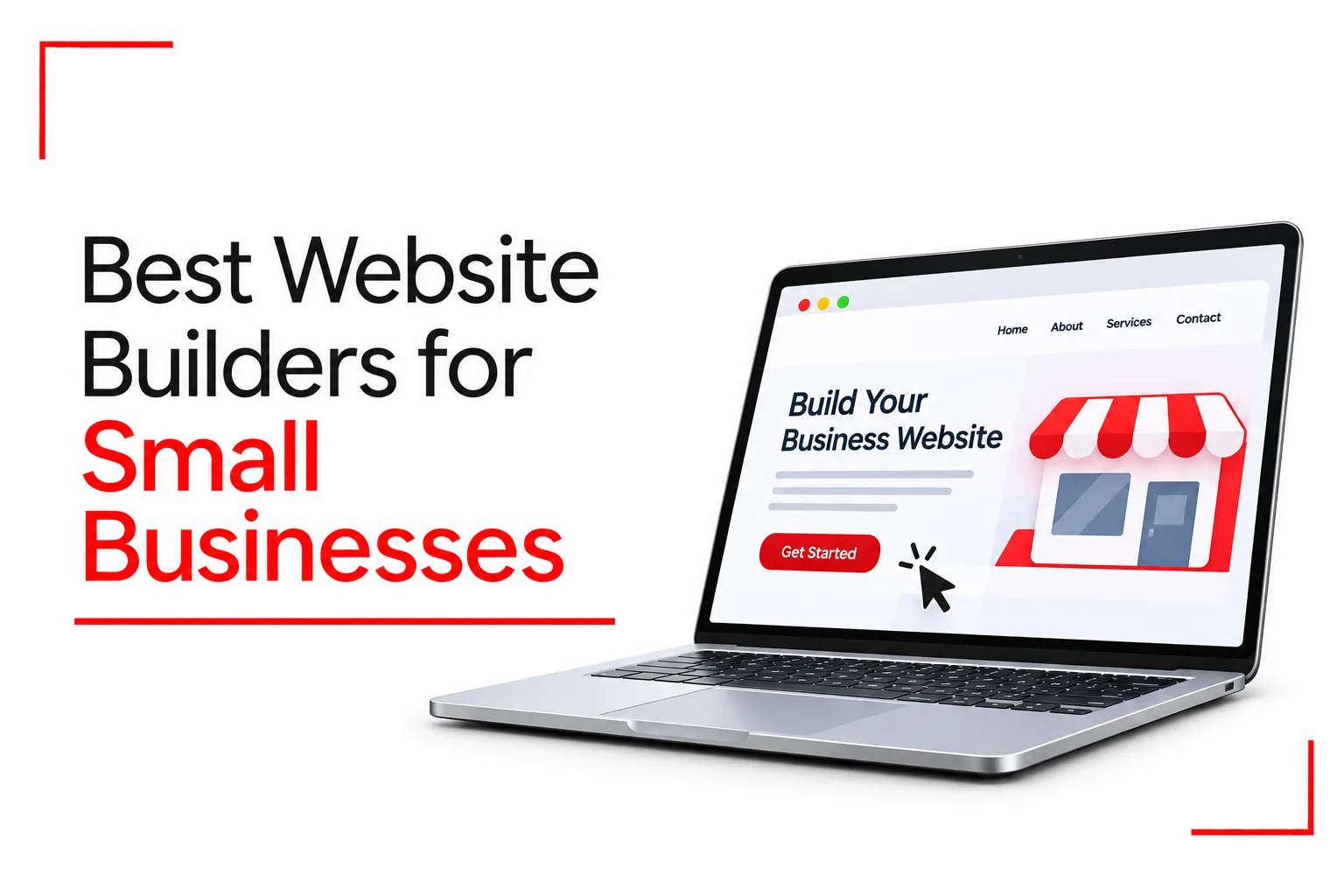

A customer hears about your business, searches for it online and wants to know more before making a purchase. They look for your products, prices, location or contact details. If all they find is a social media page, they may not get the full picture of what your business does. A website gives you space to present your brand, showcase your products and make it easier for potential customers to reach you.
Building a website no longer has to involve hiring a developer or learning how to code. Website builders for small businesses let you choose a design, add your content and publish a professional-looking site. Many also include online stores, booking tools, contact forms and marketing features.
The challenge is choosing a platform that fits your needs and budget. Some are better for online stores, while others focus on simple business websites, attractive designs or easy editing. This guide covers the best website builders for small businesses, their features, pricing and what each platform does best.
Table of Contents
Best Website Builders for Small Businesses
| Website builder | Best for | Free option |
|---|---|---|
| Wix | Overall small business websites | Yes |
| Squarespace | Professional and design-focused websites | 14-day trial |
| Shopify | Online stores and ecommerce | Free trial |
| WordPress.com | Blogs and content-heavy websites | Yes |
| Hostinger | Affordable business websites | No permanent free plan |
| GoDaddy | Quick website setup | Free options vary by market |
| Webflow | Custom designs and advanced layouts | Yes |
Wix
Best for: Small businesses looking for an all-round website builder
Wix is one of the most versatile website builders for small businesses. It gives you the tools to create a business website, online store, portfolio or booking website without writing code.
Its drag-and-drop editor lets you add text, images, buttons, videos and other elements to your pages. You can start with a professionally designed template or use the Wix AI website builder to generate a site based on your business description and preferences.
Wix also includes features that help businesses manage their websites after launch. You can create contact forms, manage customer enquiries, publish blog posts, accept bookings and sell products. Its built-in marketing tools also support email campaigns and social media promotion.
Main features:
- Drag-and-drop website editor
- AI website creation tools
- Business templates for different industries
- Online store and payment features
- Appointment booking and contact forms
- Blogging and SEO tools
- Marketing integrations and analytics
Pricing: Wix offers a free plan with Wix branding and a Wix subdomain, alongside paid plans with additional business and ecommerce features.
Pros:
- Easy for beginners to use
- Large selection of templates
- Useful business and marketing tools
- Supports online stores and appointment bookings
Cons:
- Some useful features are locked behind higher plans
- Apps and additional services can increase costs
- Moving a complete website to another platform can be difficult
Wix is a good starting point for small businesses that need more than a basic website. It has enough flexibility for service providers, restaurants, consultants, local shops and growing businesses.
Squarespace
Best for: Businesses that want an attractive, professional website
Squarespace is known for its professionally designed templates and clean website layouts. It is a good choice for businesses where presentation plays a big part in attracting customers.
Photographers, fashion brands, interior designers, restaurants, consultants and creative professionals can use Squarespace to build websites that showcase their work without hiring a web designer.
The editor uses a structured layout system, allowing you to customise pages, change colours, add images and arrange content. It does not provide the same level of freeform editing as Wix, but its templates make it easier to maintain a consistent design. Squarespace also includes blogging, appointment scheduling, email marketing integrations, analytics and ecommerce tools. Depending on your plan, you can sell products, offer services and accept customer bookings through your website.
Main features:
- Professionally designed website templates
- Visual page editor
- Built-in blogging platform
- Online store and product management
- Appointment scheduling integrations
- SEO and website analytics
- Email marketing tools
Pricing: Squarespace offers a 14-day free trial, but no permanent free plan. Paid subscriptions include additional website design, business and ecommerce features.
Pros:
- Attractive templates
- Consistent website layouts
- Good blogging and portfolio features
- Built-in tools for selling products and services
Cons:
- No permanent free plan
- Less design freedom than Wix
- Some business and ecommerce features need higher plans or add-ons
Choose Squarespace if the appearance of your website is a major priority. It works particularly well for creative businesses, professional services and brands that depend on good visual presentation.
Shopify
Best for: Small businesses that want to sell products online
Shopify is built primarily for ecommerce. If your business sells clothing, electronics, beauty products, furniture, food items or other physical products, it provides the tools to run an online store. You can create product pages, upload images, set prices, organise inventory, manage orders and configure shipping options. Shopify also supports digital products and selling through social media and other sales channels.
Its checkout system allows customers to complete purchases through your website. Available payment methods depend on your country, so check which payment providers support your business location before choosing a plan.
Shopify includes store analytics, discount codes, inventory management and integrations with a large collection of third-party apps. You can also customise your storefront using themes and its website editor. Unlike general website builders, Shopify places more attention on managing sales and orders.
Main features:
- Online store builder
- Product and inventory management
- Order and customer management
- Shopping cart and checkout
- Shipping and discount tools
- Sales reports and analytics
- Social media and marketplace integrations
- Third-party apps and extensions
Pricing: Shopify offers several subscription plans with different ecommerce features, staff accounts and selling tools. Payment processing fees may also apply, depending on your plan and payment provider.
Pros:
- Excellent ecommerce features
- Easy product and inventory management
- Supports multiple sales channels
- Large app ecosystem
- Suitable for growing online stores
Cons:
- More expensive than a basic business website builder
- Additional apps can increase monthly expenses
- Transaction and payment processing fees need to be considered
- Not the best choice for a simple company website
Shopify is a suitable option for businesses focused on online sales. Its ecommerce tools may be more than you need if you only want a simple company profile, contact page and service descriptions.
WordPress.com
Best for: Businesses that publish content and want room to grow
WordPress.com is a hosted website platform that makes it possible to build and manage a website without arranging separate web hosting. It uses the WordPress content management system, which is widely used for business websites, blogs, online publications and other content-heavy projects.
You can select a theme, create pages, publish articles and organise content using its block editor. The editor lets you add headings, images, buttons, columns, videos and other page elements.
One of WordPress.com’s biggest strengths is its publishing system. A business that plans to publish regular articles, product guides, company updates or educational content can organise everything through its dashboard. Paid plans also support plugin installation, giving you access to additional tools for SEO, security, forms, ecommerce and other website functions.
It is important to distinguish WordPress.com from WordPress.org. WordPress.com handles hosting and much of the technical maintenance for you. WordPress.org is the open-source software you install on a hosting account that you manage separately.
Main features:
- WordPress content management system
- Themes and block editor
- Blogging and publishing tools
- Plugin support on paid plans
- SEO and analytics integrations
- Ecommerce through compatible tools
- Managed hosting and security
Pricing: WordPress.com offers a free plan, alongside paid subscriptions with additional features for customisation, business tools, plugins and ecommerce.
Pros:
- Excellent blogging and publishing features
- Large collection of themes and plugins
- Hosting included
- Suitable for content-heavy websites
- Can grow with a business
Cons:
- Takes time to learn some features
- Advanced customisation may need additional work
- Some features are only available on paid plans
WordPress.com is a good choice for businesses that want to publish articles regularly and build a content-rich website. It is also suitable for businesses that expect to add more features as they grow.
Related Article: Best HR Software for Small to Medium Businesses
Hostinger Website Builder
Best for: Small businesses working with a limited budget
Hostinger Website Builder is a budget-friendly option for business owners who want to create a website without spending too much on design and hosting. The platform includes an AI website builder that can generate a website from a short description of your business. You can then edit the generated pages, change layouts, upload images and add your own content.
Its visual editor makes it possible to customise a website without coding. You can also create contact forms, add business information, publish blog posts and set up a basic online store on supported plans. Hostinger includes hosting, SSL certificates and website management tools in its plans. This means you do not have to purchase a separate hosting package to get your website online.
Main features:
- AI website builder
- Drag-and-drop editor
- Business website templates
- Hosting and SSL included
- Blogging tools
- Basic ecommerce features
- SEO settings and analytics integrations
Pricing: Hostinger provides several subscription plans, with features for website building, hosting and ecommerce depending on the package. Promotional discounts are available on selected long-term plans, while renewal charges may be higher.
Pros:
- Affordable introductory pricing
- Beginner-friendly editor
- AI-assisted website creation
- Hosting included
- Useful tools for basic business websites
Cons:
- Promotional pricing can be misleading if renewal costs are ignored
- Fewer advanced features than some competitors
- Less flexibility for complex websites
Hostinger is a good option for startups, freelancers and small businesses that need an affordable website with basic business features. Check the renewal price and plan limits before committing to a long subscription.
GoDaddy Website Builder
Best for: Business owners who want to get a website online quickly
GoDaddy Website Builder focuses on making website creation straightforward. It is designed for business owners who want to establish an online presence without spending too much time on technical setup. You can choose a business category, select a template and customise the generated website with your own text, images, colours and contact information. GoDaddy also has AI-assisted tools that help with website creation and content.
The platform includes features for appointment bookings, contact forms, social media connections and basic online selling, depending on your subscription. GoDaddy also provides domain registration and hosting services. If you purchase your domain and website plan through the same account, you can manage them from one dashboard.
Main features:
- AI-assisted website creation
- Business website templates
- Appointment booking tools
- Contact forms
- Social media integrations
- Basic ecommerce features
- Domain registration and hosting
Pricing: GoDaddy has free website-building options in some markets, while paid plans provide additional features. Prices and available features depend on your country and subscription.
Pros:
- Quick website setup
- Beginner-friendly editing tools
- Domain and hosting services available
- Useful appointment booking features
Cons:
- Limited design flexibility
- Fewer advanced customisation options
- Some business features need higher plans
GoDaddy works well for small businesses that need a simple website without spending much time on setup. It is particularly useful for local service providers, consultants and businesses that depend on appointment bookings.
Webflow
Best for: Businesses that want more design control
Webflow is a website builder that lets users customise the appearance and structure of their websites. Its visual designer lets you work with layouts, typography, colours, spacing, animations and responsive page elements. You can create custom website designs without writing every line of code, although understanding basic web design concepts makes the platform easier to use.
Webflow also has a content management system for managing articles, projects, team profiles and other structured content. This is useful for agencies, creative businesses and companies with content-heavy websites. Webflow can also support ecommerce, but its store features and pricing may not be as attractive as Shopify for businesses that mainly sell products.
Main features:
- Visual website designer
- Responsive layouts
- Content management system
- Custom animations and interactions
- SEO settings and redirects
- Hosting and publishing tools
- Ecommerce features
Pricing: Webflow offers a free Starter plan for building and testing websites, alongside paid plans with additional publishing, hosting, design and ecommerce features.
Pros:
- Excellent design control
- Professional website layouts
- Useful CMS features
- Good SEO controls
- Suitable for complex business websites
Cons:
- Steeper learning curve
- Can take longer to build a website
- Ecommerce plans are more expensive than basic site plans
Webflow is a good choice for businesses that want a customised website with more control over design and layout. It may be too complicated for a business that only needs a basic online presence.
How to Choose the Best Website Builder for Your Small Business
The best website builder depends on what you want your website to do. A restaurant that needs an online menu and booking system has different needs from a clothing store selling products across multiple countries.
Before paying for a subscription, consider the following:
Ease of Use
If you have never built a website before, look for a platform with a simple editor, ready-made templates and clear instructions. Wix, Hostinger and GoDaddy are good starting points for beginners. Webflow provides more design control but takes longer to learn.
Your Budget
Website builders have different subscription costs. Some advertise low introductory prices that increase when the first subscription period ends. Check the full cost of your chosen plan, including renewal charges, domain registration, email hosting, premium templates and paid apps.
Also check how the platform bills you. A plan advertised at a low monthly rate may come with an upfront payment covering one or more years.
SEO Features
A website needs more than an attractive design to bring visitors from Google.
Look for a builder that lets you:
- Edit page titles and meta descriptions.
- Create readable, search-friendly URLs.
- Add alt text to images.
- Generate and manage XML sitemaps.
- Set up redirects.
- Connect Google Search Console and analytics tools.
- Create a blog and publish useful content.
Wix, WordPress.com and Webflow provide a good range of SEO settings. Squarespace and Hostinger also cover the main requirements for many small business websites.
Mobile-Friendly Design
Many customers visit business websites through their phones. Your pages should display properly on smaller screens, with readable text, clear images and buttons that are easy to tap.
Check how each platform handles mobile layouts before publishing. Do not assume that a design that looks good on a desktop will automatically look good on a phone.
Ecommerce and Payment Options
If you plan to sell products online, check the available ecommerce features before choosing a builder. Look for product management, inventory tracking, shipping settings, secure checkout and payment gateway support. Shopify is designed for online stores, while Wix, Squarespace and Hostinger support ecommerce through selected plans.
Pay particular attention to payment availability. A payment provider supported in the United States may not be available to businesses in Nigeria, Kenya, Ghana or other countries. Confirm that your preferred provider can accept payments in your business location.
Customer Support
A website problem can affect customer enquiries and sales. Check the support options available before subscribing. Some platforms provide live chat, email support, help centres and tutorials. Others rely more heavily on community forums and self-service documentation. Choose a platform with support channels you can access when you need assistance.
Room to Grow
Your business website may start with a homepage, contact page and a few service descriptions. Later, you may want to add a blog, online store, booking system or additional pages. Choose a platform that can handle those plans without forcing you to rebuild the entire website.
How Much Does It Cost to Build a Small Business Website?
The cost depends on the platform, subscription plan, domain name, design and additional features. A basic website can be built with a relatively small monthly budget, while an ecommerce website with advanced features will cost more.
Here are some expenses to consider:
| Expense | What it covers |
|---|---|
| Website builder subscription | Access to the platform and its features |
| Domain name | Your website address, such as yourbusiness.com |
| Hosting | Storage and resources needed to keep the website online |
| Business email | Professional email addresses using your domain |
| Premium templates | Additional website designs |
| Apps and plugins | Extra functions such as booking, forms and marketing |
| Payment processing | Fees charged when customers pay online |
Some website builders include hosting and a free domain for the first year in selected paid plans. Others charge separately for domains, email services or additional tools. You should also consider renewal costs. A cheap introductory subscription may become considerably more expensive when it renews.
For a basic business website, start with the features you actually need. You can add more tools as the business grows.
Do Small Businesses Need a Website?
A website gives your business a central online location where customers can learn about your products and services. It also gives you more control over how your business is presented online.
Here are some reasons a website can be useful:
- Business credibility: Customers can find information about your company, services, location and contact details.
- Online visibility: Search engines can display your pages when people search for products or services related to your business.
- Customer enquiries: Contact forms, booking tools and enquiry buttons make it easier for customers to reach you.
- Product and service information: You can display prices, descriptions, photographs and other details in one place.
- Online sales: An ecommerce website allows customers to browse products and place orders.
- Business updates: You can publish announcements, promotions, new services and useful articles.
Social media remains useful for reaching customers and promoting your business. A website gives you another place to direct interested people when they want more information or are ready to make a purchase.
Frequently Asked Questions
What is the best website builder for a small business?
Wix is a good all-round choice for many small businesses because it includes website design, ecommerce, booking and marketing features. Squarespace is a good choice for attractive business websites, Shopify is better for online stores, and WordPress.com works well for content-heavy websites.
Can I build a business website without coding?
Yes. Website builders such as Wix, Squarespace, Hostinger and GoDaddy let you create websites using visual editors and ready-made templates. You can add text, images, contact forms and other elements without writing code.
What is the cheapest website builder for small businesses?
Hostinger frequently has some of the lowest introductory prices, particularly on long-term subscriptions. WordPress.com also has a free plan and affordable paid options. Compare renewal prices and included features before selecting a plan based on your budget.
Are free website builders good for small businesses?
Free plans are useful for testing a platform and creating a basic website. However, they often come with platform branding, limited storage, restricted features and a subdomain rather than your own domain name. For a business that wants to build a professional online presence, a paid plan with a custom domain is usually a better choice.
Which website builder is best for ecommerce?
Shopify is a good option for businesses that plan to focus on selling products online. It includes product management, inventory tools, checkout, order management and integrations for different sales channels. Wix and Squarespace are also suitable for smaller online stores.
Can I use my own domain name with a website builder?
Yes. Most paid website builder plans allow you to connect a domain you already own or purchase one through the platform. Some annual subscriptions also include a free domain for the first year. A custom domain such as ‘yourbusiness.com’ looks more professional than a free platform subdomain.
Is WordPress better than Wix for a small business?
It depends on the type of website you want to build. Wix is easier for many beginners and includes several business tools in one platform. WordPress provides more publishing flexibility and access to a large collection of plugins and themes. WordPress.com is managed hosting, while WordPress.org requires you to arrange hosting separately. Both can support business websites.
Can I change my website builder later?
Yes, but moving a website from one platform to another can take time. Some builders allow you to export parts of your website, while others have limited export options. You may need to move your text, images, products and other content manually. Check the platform’s export options before building a large website.
The best website builders for small businesses make it easier to establish an online presence without hiring a developer for every change. Before choosing, consider your budget, the type of website you need, payment options and the features you may want to add later.