

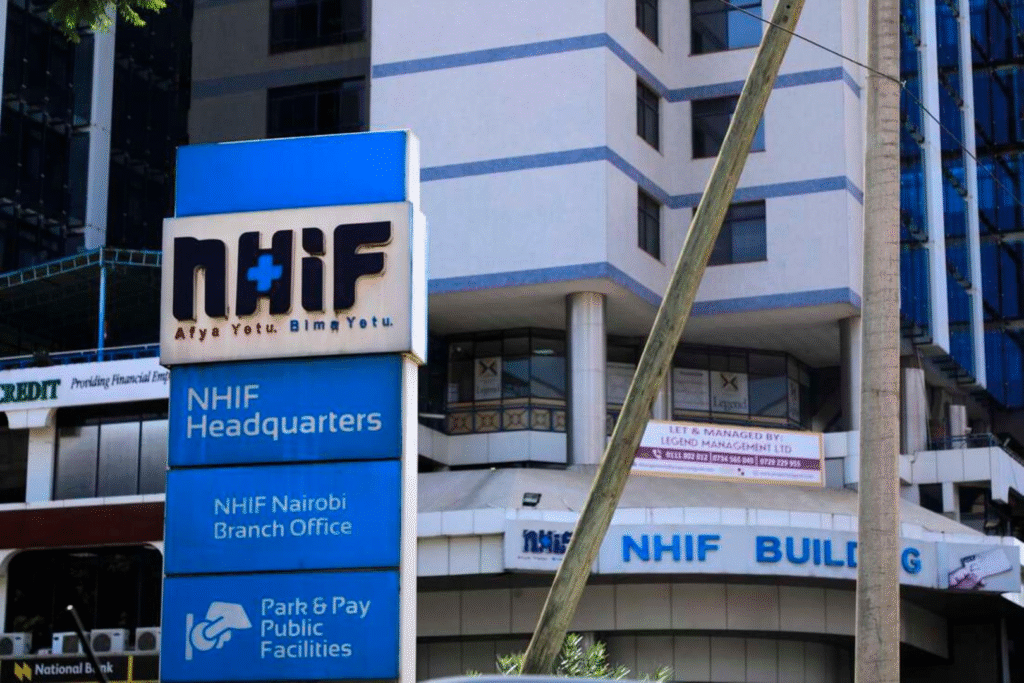
For years, Kenyans relied on their National Hospital Insurance Fund (NHIF) membership numbers to access medical cover and check their insurance contributions. Those numbers were part of the country’s health insurance system, and many people still keep them on old cards, payment receipts and employment records.
However, Kenya’s health insurance system has changed. The National Health Insurance Fund was replaced by the Social Health Authority (SHA) in October 2024, with the Social Health Insurance Fund (SHIF) taking over the role of the previous insurance fund.
This change also affected how members access their health insurance information. The old NHIF website is no longer the place to check current coverage. Members now use SHA’s digital platforms, including the Afya Yangu portal, to access their insurance records.
If you want to check your NHIF number online, this guide explains how to find your current SHA membership information, verify your coverage, check contributions and resolve account problems.
Table of Contents
Understanding the Transition From NHIF to SHA and SHIF
The Kenyan government introduced the Social Health Insurance Act in 2023, establishing a new system for financing healthcare. The Social Health Authority became operational in October 2024, taking over the administration of the country’s social health insurance programme.
Under the new system, three funds operate under SHA:
- Primary Healthcare Fund (PHCF): Supports primary healthcare services, including outpatient care and preventive services.
- Social Health Insurance Fund (SHIF): Finances healthcare services for registered members under the national social health insurance programme.
- Emergency, Chronic and Critical Illness Fund (ECCIF): Supports emergency treatment and care for chronic and critical illnesses.
For people who previously registered with NHIF, the main change is where they access their insurance information. You should no longer rely on the old NHIF member portal to confirm your current coverage. SHA now handles registration, eligibility checks and insurance administration through its official digital platforms.
Also, an old NHIF membership number is not the same as the identification details used by the current SHA eligibility checker. You can check your coverage using your National ID or another accepted identification document.
How to Check Your NHIF Number Online Through the SHA Portal
The easiest way to check your current health insurance status is through the official SHA website. It provides access to the eligibility checker and the Afya Yangu member portal.
You will need your National ID number or another accepted identification number to complete the check.
Step 1: Visit the Official SHA Website
Open your browser and visit the Social Health Authority website.
On the homepage, go to the Login section and select Members. You will find links to the member portal and eligibility checker.
You can also visit the SHA Eligibility Checker directly.
Step 2: Select Your Identification Type
The eligibility checker allows members to search using several identification options.
These include:
- National ID
- Alien ID
- Refugee ID
- Temporary ID
- Passport number
- CR number
- Household number
- Birth certificate number
- Birth notification
For most adult Kenyan citizens, the National ID option is the appropriate choice.
Step 3: Enter Your Identification Number
Enter your identification number in the provided field.
Check the number carefully before submitting. An incorrect digit may prevent the system from finding your records.
Step 4: Check Your Coverage Status
Click the Check button to submit your details.
The system will retrieve the available coverage information associated with your identification details. Review the response to confirm your current SHA status.
If the system cannot find your records, check your identification details and try again. You may also need assistance from SHA if your registration information has not been properly updated.
Access More Information Through Afya Yangu
The eligibility checker is useful for a quick coverage check. For more detailed personal health insurance information, use the Afya Yangu member portal.
Visit afyayangu.go.ke and follow the login instructions.
Once logged in, you can access available insurance details, dependant information, healthcare benefits and other records linked to your account. The portal is also useful if you want to review your personal information beyond a basic coverage check.
Check Your SHA Membership Through USSD Code *147#
You do not need an internet connection to access SHA’s mobile registration service. The Social Health Authority also provides a USSD option for people who prefer using their phones.
The official code is *147#.
Follow these steps:
- Open your phone’s dialler.
- Dial *147# using your mobile line.
- Follow the SHA prompts displayed on your screen.
- Enter your National ID number when requested.
- Complete the identity verification instructions.
- Follow the available account or registration options.
During registration, the system may ask you to create a four digit PIN and provide personal details such as your employment and marital status. After completing the prompts, you should receive a confirmation message.
The *147# service is an official SHA registration and mobile self service channel. If you specifically want to confirm your current coverage status, use the online eligibility checker as well.
The Ministry of Health has also identified *147# as an official registration channel for SHA members.
Check Your SHA Details Through the Afya Yangu Mobile App
If you prefer using a smartphone, the Afya Yangu application provides another way to access your health insurance information. The application is developed by Kenya’s Digital Health Agency and connects users to personal health records and insurance information. You can download it through the official app store on your device.
How to Use the Afya Yangu App
- Open Google Play Store or Apple’s App Store.
- Search for Afya Yangu.
- Check that the developer is the Digital Health Agency.
- Download and install the application.
- Open the app and follow the registration or login instructions.
- Complete the identity verification process.
- Open your account to review your available insurance information.
The app provides access to insurance cover details, benefits, dependants, appointment records and healthcare facility visit information. If your SHA information is missing or does not match your records, contact the authority for assistance.
Avoid downloading unofficial applications that claim to provide NHIF or SHA membership details. Use the government supported Afya Yangu application.
Understand the Current SHA Contribution Rates
One major change introduced under SHIF is the contribution structure.
The old NHIF system used fixed monthly contribution bands based on salary. The current SHA framework uses an income based contribution rate of 2.75%, with a minimum contribution of KSh 300 per month.
The calculation depends on your employment category.
Contributions for Salaried Employees
Employees in formal employment contribute 2.75% of their gross monthly salary.
For example:
- Gross salary of KSh 20,000: KSh 550 contribution.
- Gross salary of KSh 40,000: KSh 1,100 contribution.
- Gross salary of KSh 60,000: KSh 1,650 contribution.
- Gross salary of KSh 100,000: KSh 2,750 contribution.
The employer deducts the contribution from the employee’s salary and remits it to SHA. Employers are expected to submit the monthly payments by the ninth day of the following month.
Contributions for Self Employed and Informal Sector Workers
People who earn outside formal employment also contribute 2.75% under the SHIF framework. However, their contributions are calculated using a means testing process. The assessment considers household income and other socio economic information to determine the annual premium.
SHA charges 2.75% of monthly income, with a minimum payment of KSh 300. There is no maximum contribution, so the amount increases as income rises. You can complete the means testing assessment through the Afya Yangu portal.
How to Pay SHA Contributions Through M-Pesa
Non salaried members can use the SHA Lipa Pole Pole payment arrangement to spread their contributions into smaller instalments.
- Pay the first four months’ premium through M-Pesa Paybill 200222.
- Enter your National ID number as the account number.
- Dial *147#.
- Select Lipa Pole Pole.
- Follow the instructions to complete enrolment.
Also Read: How to Opt Out of Fuliza on Safaricom
SHA also provides an option through *254# under the Hustler Fund menu, where eligible members can select Lipa Pole Pole and arrange repayments through M-Pesa Ratiba. These instalment arrangements are intended for eligible non salaried members who have completed registration and means testing.
Salaried employees generally do not make separate monthly M-Pesa payments for SHIF. Their employers handle the deductions and remittances.
How to Resolve an Inactive SHA Account
Checking your insurance status may return an inactive result or show information that does not match your records. There are several possible reasons for this, including incomplete registration, incorrect identification details, unpaid contributions or delays in updating payment records.
Here are some ways to address the problem.
Check Your Registration Details
Log in to the Afya Yangu portal and review your personal information. Check that your National ID number, names and registered phone number are correct. If you notice an error, follow the available account update instructions or contact SHA for assistance.
Confirm Your Contribution Payments
If you are employed, speak with your employer or HR department to confirm that your monthly SHIF deductions have been remitted. Ask for payment confirmation if deductions have already been made from your salary.
For self employed members, check your assessed premium and payment records. Outstanding contributions may affect your coverage status.
Visit a Huduma Centre or SHA Office
If the online platforms do not resolve the problem, visit a nearby Huduma Centre or Social Health Authority office. Huduma Centres provide access to SHA services and assisted government support.
Carry the following documents where applicable:
- Your original National ID card.
- The phone number used during SHA registration.
- Previous NHIF membership details or card, if available.
- M-Pesa payment confirmations.
- Salary deduction records or employer payment evidence.
- Supporting documents for dependants, if the issue concerns their records.
Explain the problem to the service officer and request assistance with checking or updating your SHA registration.
Contact SHA Customer Support
You can also contact the Social Health Authority directly through its official customer support channels.
The current SHA website provides the following contact information:
- Toll free number: 0800 720 601
- Website: sha.go.ke
You can use these channels to report registration problems, incorrect account information and contribution discrepancies.
Frequently Asked Questions
Is NHIF still operational in Kenya?
No. The National Health Insurance Fund was replaced by the Social Health Authority system in October 2024. The Social Health Insurance Fund is now part of the new healthcare financing framework managed by SHA.
Can I still use my old NHIF number?
Your old NHIF membership number may still be useful for historical records and previous contribution information. However, the current SHA eligibility checker uses identification details such as your National ID or CR number to check coverage.
How do I check my SHA status using my ID number?
Visit eligibility.sha.go.ke, select your identification type, enter your ID number and click Check. The system will retrieve the available coverage information.
What is the USSD code for SHA in Kenya?
The official SHA USSD code is *147#. It provides a mobile registration and self service channel without requiring an internet connection.
How much is the monthly SHA contribution?
The published contribution rate is 2.75% of gross monthly salary for salaried employees, with a minimum of KSh 300. For people outside formal employment, the contribution is based on household income assessed through means testing.
Can I check my SHA details without an internet connection?
Yes. You can dial *147# to access the SHA mobile service. However, a full coverage check is available through the online eligibility checker.
What should I do if my SHA account shows inactive?
Check your registration details and contribution records first. If the problem continues, contact SHA through 0800 720 601 or visit a Huduma Centre or SHA office for assistance.
Kenya’s transition from NHIF to SHA changed the way people access their health insurance records. If you still have an old NHIF card or membership number, keep it for reference, but use the current SHA platforms to check your coverage and manage your insurance information.