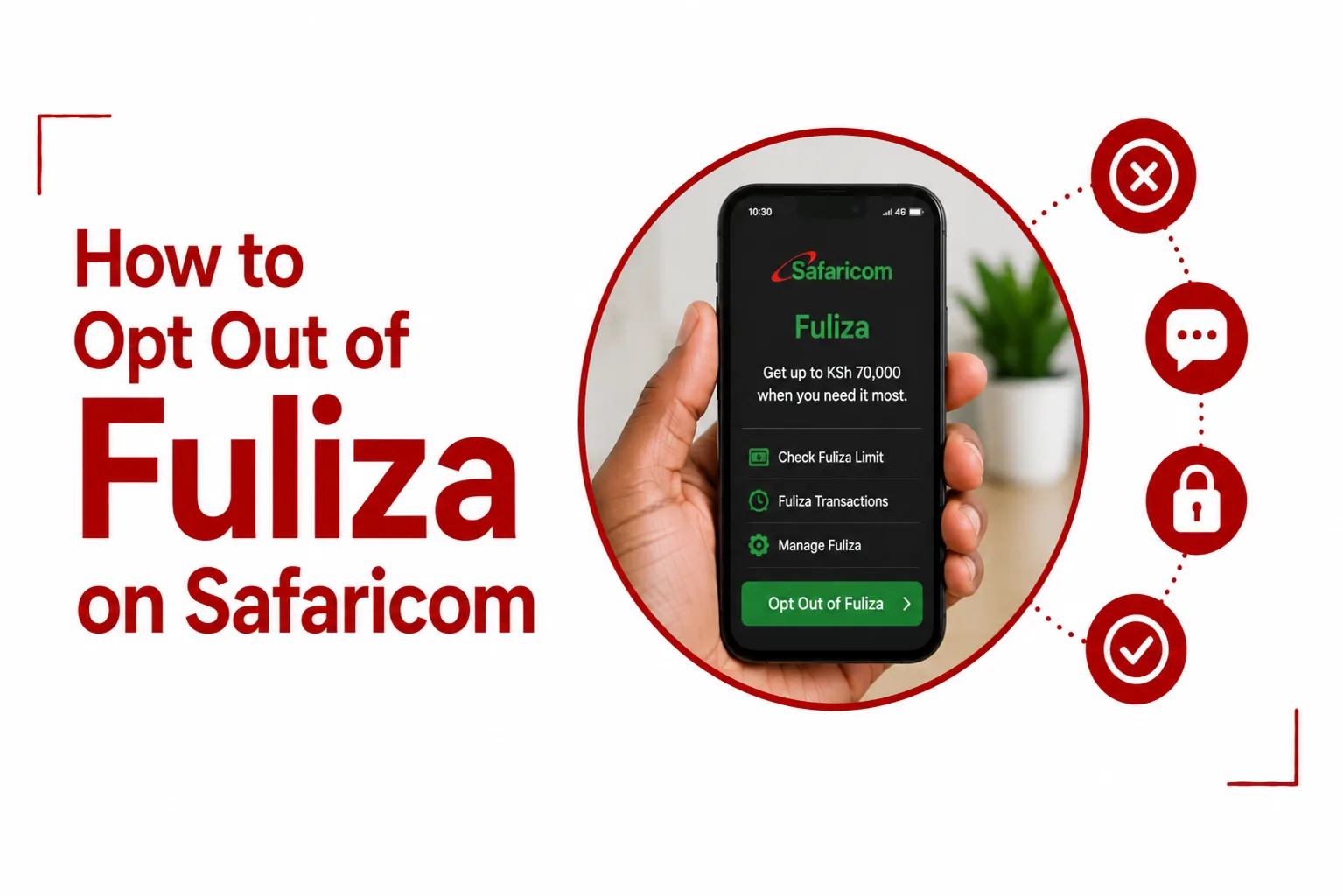

Fuliza on Safaricom can be useful when you need to complete an M-PESA transaction but do not have enough money in your account. The problem starts when you keep borrowing and repayments are deducted whenever money enters your wallet. If you no longer want to use the overdraft service, you can opt out through Safaricom’s USSD menus or the M-PESA app. You must first clear your outstanding Fuliza balance, including any fees.
Here is how to turn it off and what happens after you do.
Table of Contents
How to Opt Out of Fuliza Using *334#
The *334# code gives you access to the main M-PESA menu. You can use it to find the Fuliza opt-out option.
Follow these steps:
- Dial *334# using the Safaricom line registered to your M-PESA account.
- Select Loans & Savings.
- Choose Fuliza M-PESA.
- Select Opt Out.
- Follow the prompts to confirm your request.
Wait for a confirmation message from Safaricom before assuming the service has been deactivated.
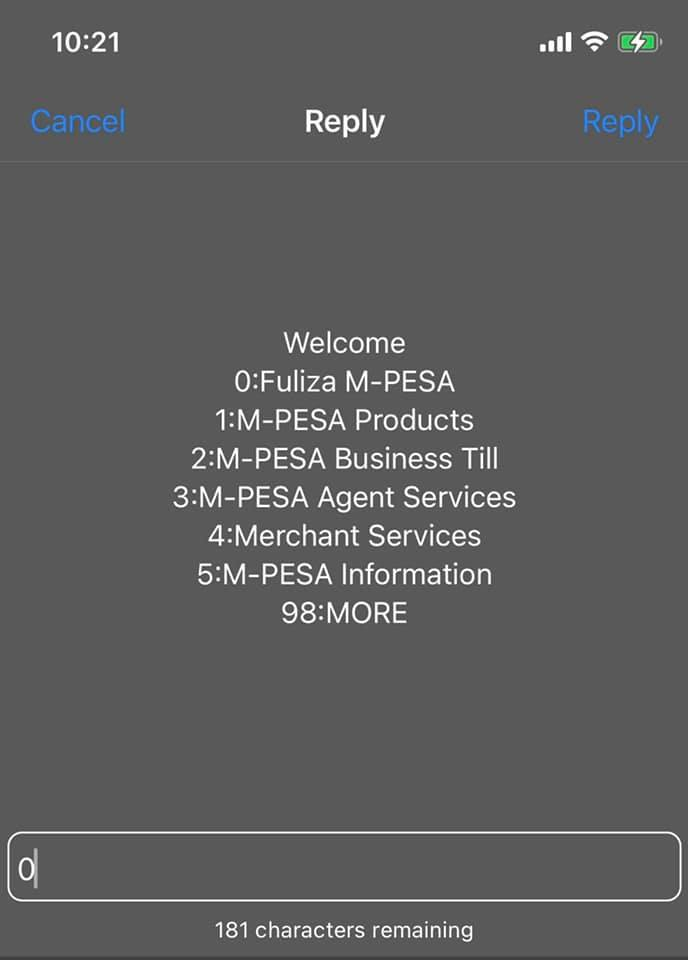
How to Opt Out of Fuliza Using *234#
You can also use the M-PESA Products menu to switch off Fuliza.
- Dial *234# on your Safaricom line.
- Select M-PESA Products.
- Choose Fuliza M-PESA.
- Select More.
- Choose Opt Out and confirm your request.
The menu wording or order may change after Safaricom updates its service. Follow the options displayed on your phone if they look slightly different.
How to Opt Out of Fuliza Through the M-PESA Super App
If you prefer using an app, you can also deactivate Fuliza through the M-PESA Super App.
- Open the M-PESA Super App on your phone.
- Go to Services.
- Select Fuliza.
- Choose Opt Out.
- Follow the instructions to complete the request.
Check for a confirmation message once you finish.
Clear Your Fuliza Balance Before Opting Out
You cannot opt out while you still have an outstanding Fuliza balance.
This includes the amount you borrowed and any unpaid maintenance fees or other applicable charges. Even if you have repaid the original amount, a remaining fee can prevent the system from processing your request.
To clear your balance:
- Dial *334# or *234#.
- Open the Fuliza M-PESA menu.
- Check your outstanding balance.
- Deposit enough money into your M-PESA account to cover the full amount owed.
Safaricom will deduct the outstanding amount and applicable charges. Check your balance again before attempting to opt out. If the request still fails after your balance shows zero, contact Safaricom customer care on 100 or visit a Safaricom shop for assistance.
Related Article: How to Speak to a Safaricom Agent
What Happens to Your Fuliza Limit After Opting Out?
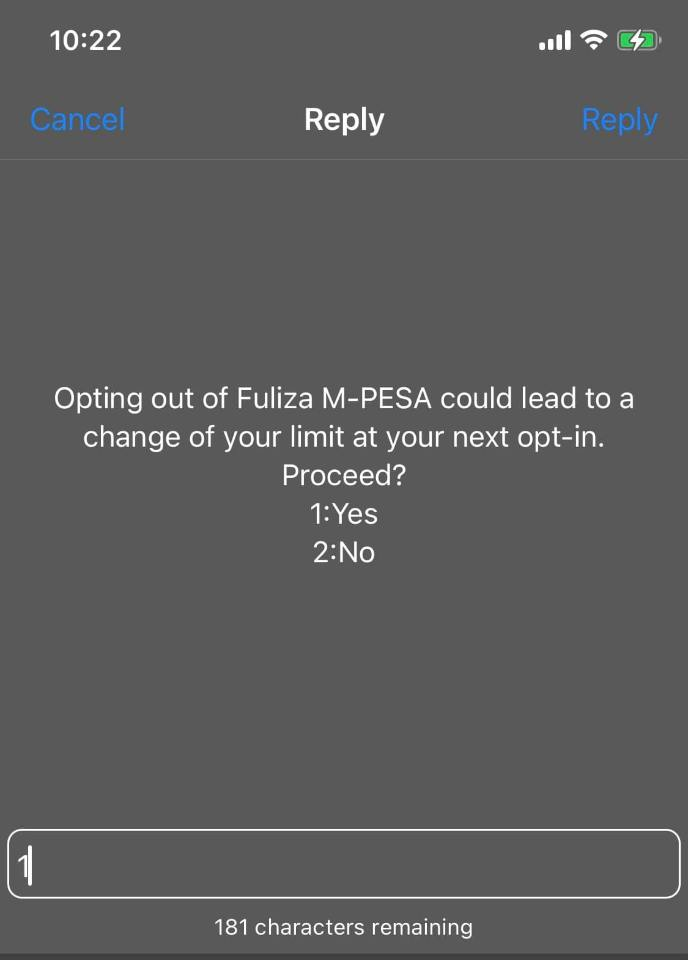
This is something to consider before deactivating the service. When you opt out of Fuliza, your existing limit is reset to KSh 0. If you decide to join again later, Safaricom will assess your account afresh. You may receive a new limit, but your previous borrowing limit is not guaranteed.
The assessment can take your M-PESA usage and repayment history into account, among other credit-related factors. So, if you currently have a KSh 5,000 Fuliza limit, for example, do not assume you will get the same amount back after rejoining.
Can You Still Use M-PESA After Opting Out of Fuliza?
Yes. Turning off Fuliza does not close your M-PESA account or block its normal services.
You can still:
- Send and receive money.
- Buy airtime.
- Pay bills through PayBill.
- Pay for goods using Buy Goods.
- Withdraw money from an M-PESA agent.
- Deposit money into your account.
The only change is that M-PESA will no longer use Fuliza to cover a shortfall when you do not have enough money for a transaction. You will need to have sufficient funds in your account before completing the payment.
Can You Rejoin Fuliza After Opting Out?
Yes, you can apply to use Fuliza again after opting out.
Open the Fuliza M-PESA menu through *334# or *234#, choose the opt-in option and follow the instructions. You may also use the available option in the M-PESA app.
Safaricom will carry out a fresh assessment of your account. Your previous limit does not automatically return, and you could receive a lower limit or no limit at all.
Frequently Asked Questions
Can I opt out of Fuliza if I still owe money?
No. You must clear your outstanding Fuliza amount, including applicable fees and charges, before the system allows you to opt out.
Does opting out of Fuliza affect my M-PESA account?
No. You can continue sending money, receiving payments, buying airtime and using PayBill and Buy Goods. Only the overdraft facility is disabled.
Will I lose my Fuliza limit after opting out?
Yes. Your existing limit is reset to KSh 0. If you rejoin later, Safaricom will reassess your account, and your previous limit is not guaranteed.
Can I opt out of Fuliza using *334#?
Yes. Dial *334#, select Loans & Savings, open Fuliza M-PESA and choose Opt Out.
Is *234# still available for opting out?
Yes. Dial *234#, select M-PESA Products, choose Fuliza M-PESA, go to More and select Opt Out.
Opting out of Fuliza is straightforward once your outstanding balance is cleared. Just remember that your current limit will not be waiting for you if you decide to return to the service later.