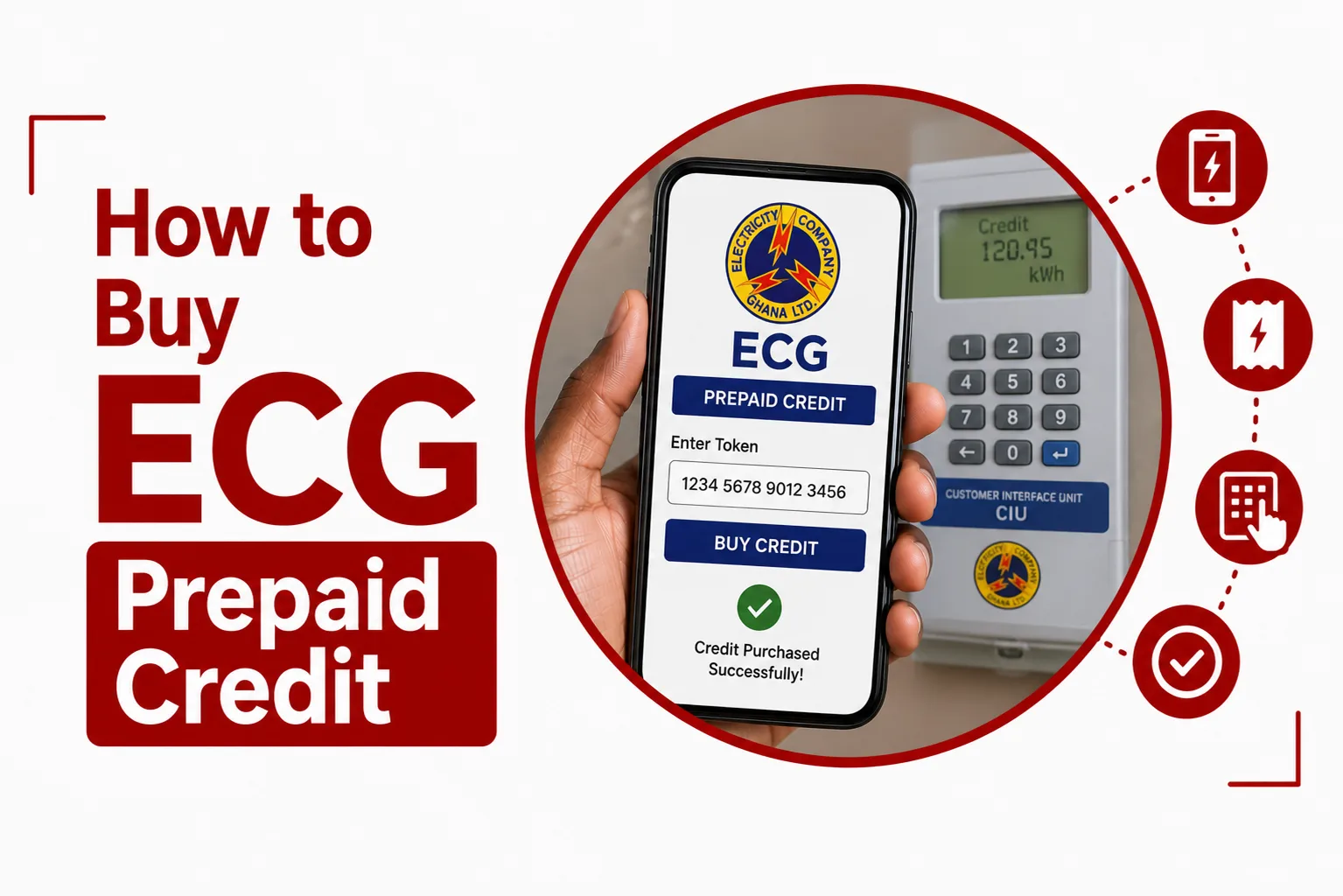

Buy ECG Prepaid Credit using ECG’s official USSD service, *226#, or the ECG PowerApp. Both options let eligible prepaid customers purchase electricity credit without going to an ECG office.
For prepaid customers in Ghana, the process is straightforward, but the exact steps can depend on the type of meter and payment option being used. ECG has introduced smart prepaid meters and continues to provide digital payment channels for customers who want to purchase credit using their phones.
Here is what you need to know before buying ECG prepaid credit, including the official code to use, how to purchase through the PowerApp, and what to do when a payment does not go through as expected.
What do you need to buy ECG prepaid credit?
You need your ECG prepaid meter details and a supported payment method. If you are using the ECG PowerApp, your prepaid meter needs to be added to the app. ECG’s PowerApp documentation shows that customers can add a meter by entering the meter number and confirming the customer information displayed before saving it.
If you are using *226#, follow the options shown on your phone after dialing the code. You should also have enough money in the payment account you intend to use.
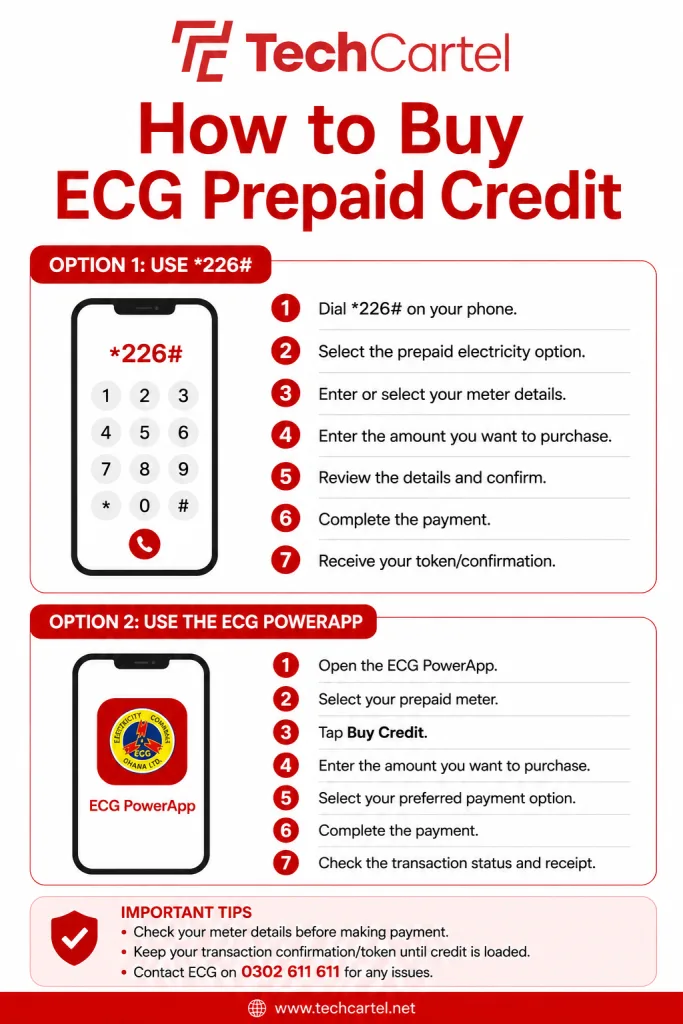
How to buy ECG prepaid credit with *226#
ECG provides *226# as a USSD channel for its electricity services, including prepaid credit purchases.
To use it:
- Dial *226# from your phone.
- Follow the prepaid electricity options displayed.
- Enter or select the requested meter details.
- Enter the amount you want to purchase.
- Review the information displayed before confirming.
- Complete the payment using the payment method provided.
- Keep the transaction confirmation after payment.
The menu shown on *226# can change as ECG updates its services. For this reason, it is better to follow the options displayed during your transaction. The service is particularly useful when you want to make a purchase from your phone without using the ECG PowerApp.
Related Article: ECG Prepaid vs Postpaid: What’s the Difference?
How to buy ECG prepaid credit with the PowerApp
The ECG PowerApp provides another way for eligible customers to purchase electricity credit.
To buy credit:
- Open the ECG PowerApp.
- Select the prepaid meter you want to top up.
- Select Buy Credit.
- Enter the amount you want to purchase.
- Select your available payment option.
- Complete the payment.
- Check the transaction status and receipt.
The PowerApp can also store your meter information, making it easier to use the same meter for later transactions. Before saving a meter in the app, ECG instructs customers to check the customer information displayed and confirm that it belongs to them.
What is the ECG prepaid credit code?
The ECG prepaid credit code is *226#. Dial *226# from your phone and follow the instructions displayed on the USSD menu. ECG lists *226# among its official digital channels for electricity services and prepaid credit purchases.
Can you buy ECG prepaid credit without mobile data?
Yes. You can use ECG’s *226# USSD service without mobile data. USSD works through your mobile network, so you do not need to open the ECG PowerApp or use mobile internet to access the shortcode.
The PowerApp is different because it is an internet based service and needs an internet connection to access its features.
Related Article: ECG Credit Delayed? Here’s What to Do
How do you get your ECG prepaid token?
After completing a prepaid purchase, check the transaction confirmation and the token information provided for your meter. If your meter uses a token based system, the token can be entered into the meter to load the purchased electricity credit.
Keep the transaction confirmation until you have successfully loaded the credit. ECG also provides transaction information through the PowerApp, including transaction status and receipts.
What should you do if you paid but did not receive your ECG token?
Start by checking your payment confirmation and the transaction information available through the service you used. If you purchased through the ECG PowerApp, check the transaction status and receipt in the app. Do not make another payment immediately if your first transaction appears to have gone through. Keep your payment reference and other transaction details in case you need to contact ECG.
For assistance with an ECG transaction, contact ECG through its customer service channels and provide your meter number and payment details.
What should you do if your ECG token is rejected?
If your meter rejects a token, first check that the token was entered correctly. Do not repeatedly enter random numbers into the meter. If the token is correct and the meter still does not accept it, contact ECG for assistance.
Have your meter number, token and payment information available when contacting ECG. These details can help ECG check the transaction and meter information. ECG has also published notices about prepaid meter system changes and upgrades. If your meter continues to reject a valid token, contact ECG for assistance before buying another token.
Does ECG charge for prepaid credit purchases?
ECG has stated that transactions made through its PowerApp and *226# do not attract mobile money charges or E Levy. This applies to transactions made through those ECG channels. Other payment channels may have their own charges, so check the payment information shown before completing a transaction.
Related Article: How to Pay Your ECG Bill
Can you buy ECG prepaid credit at night?
Yes. Digital channels give customers a way to purchase electricity credit without visiting a physical ECG payment location. You can use *226# from your phone, while the PowerApp provides an app based option for customers using supported meters. This can be useful if your prepaid credit runs out outside the hours of a physical payment location.
Can you buy ECG prepaid credit from an ECG vendor?
Yes. ECG has prepaid credit vendors operating across its operational regions. For customers using ECG’s smart prepaid meters, ECG has stated that prepaid credit can be purchased from vendors using the STS number displayed on the meter.The exact process can depend on the type of meter and payment channel being used, so follow the instructions given for your meter.
How do you check your ECG prepaid balance?
You can check the balance displayed on your prepaid meter. For customers using ECG’s digital services, the PowerApp also provides prepaid meter information and transaction related features. The exact balance information available can depend on the type of meter you have.
What is the ECG customer care number?
ECG’s customer service number is 0302 611 611. If you are contacting ECG about a prepaid purchase, have your meter number and payment transaction details ready. This gives the support team information they can use when checking your issue.
How to avoid mistakes when buying ECG prepaid credit
Check your meter details carefully before confirming a purchase. If you are using the PowerApp, confirm that the customer information shown after entering your meter number belongs to you before saving the meter.
When using *226#, read the information displayed before confirming the transaction. After paying, keep the transaction confirmation and token information until the credit has been successfully loaded onto the meter. Also, never give your mobile money PIN to another person who claims they need it to complete an ECG payment for you. Enter your PIN yourself through the authorised payment process.
Frequently asked questions
What is the ECG prepaid code?
ECG’s prepaid payment USSD code is *226#. Dial the code and follow the options displayed on your phone.
Can I buy ECG prepaid credit without data?
Yes. You can use *226# without mobile data because it is a USSD service. You need access to your mobile network.
Can I buy ECG prepaid credit with the PowerApp?
Yes. The ECG PowerApp supports prepaid credit purchases for supported customers. Select your prepaid meter, choose Buy Credit, enter the amount and complete the available payment process.
What should I do if my token is rejected?
Check that you entered the token correctly. If the correct token is still rejected, contact ECG and provide your meter number, token and payment information.
Buying ECG prepaid credit can be done directly from your phone through *226# or the ECG PowerApp. ECG also has prepaid credit vendors across its operational regions, including options for customers using its smart prepaid meters.
For digital purchases, check your meter information before confirming payment and keep your transaction details after paying. If a transaction does not produce the expected credit or token, avoid making another payment immediately and contact ECG with your payment information and meter details.