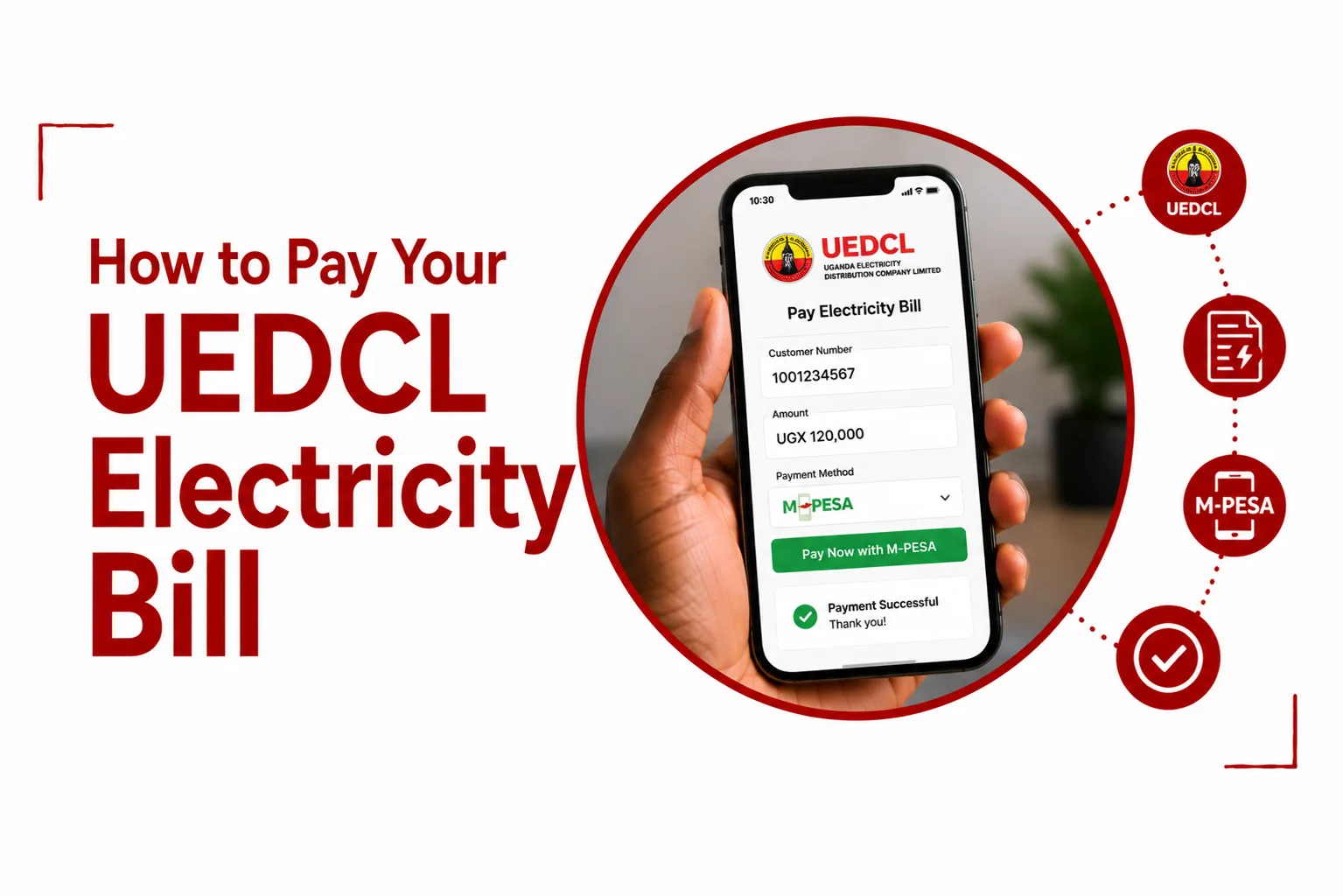

Pay Your UEDCL Electricity Bill using MTN Mobile Money, Airtel Money, a bank, or another approved UEDCL payment channel. The process is straightforward once you have your UEDCL account or meter number ready.
UEDCL now handles electricity distribution in areas previously served by Umeme, and its official payment notice directs customers to use UEDCL approved payment channels. These include mobile money platforms such as MTN and Airtel, as well as DFCU and Stanbic Bank.
Here is how to pay your electricity bill or buy prepaid electricity units using your phone.
Quick Navigation
What do I need to pay my UEDCL bill?
You will need your UEDCL account number or meter number, depending on the type of electricity service you use.
For postpaid customers, the billing account number is used when making a payment. UEDCL also says new customers can use the customer reference number provided to them.
For prepaid customers, UEDCL uses Light, the prepaid electricity service that replaced the old Yaka branding. You use the meter number when buying electricity units. UEDCL describes the prepaid system as one where customers purchase units and receive a 20 digit token to load onto the meter.
Before starting the payment, have these details ready:
- Your UEDCL account or meter number
- The amount you want to pay
- Enough money in your mobile money account
- Your mobile money PIN
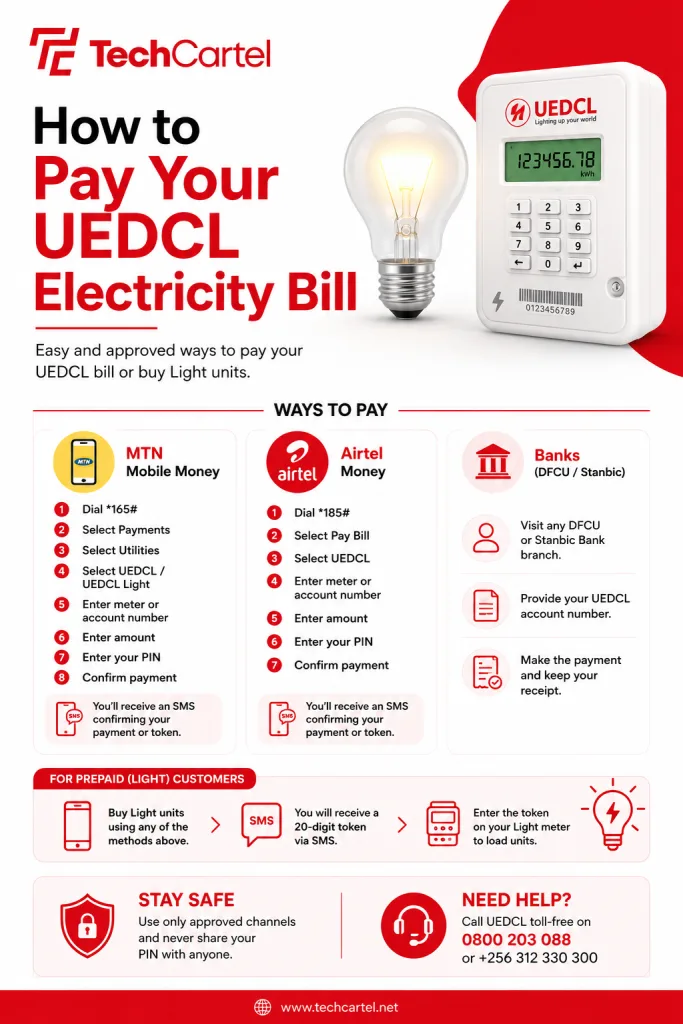
How to pay UEDCL using MTN Mobile Money
MTN Mobile Money is one of the easiest ways to pay for UEDCL electricity. The current MTN menu can change slightly as MTN updates its Mobile Money service, but the UEDCL payment option is available under the payments and utilities sections. UEDCL also confirms MTN Mobile Money as one of its approved payment channels.
To make a payment:
- Dial *165# on your MTN line.
- Select Payments.
- Select Utilities.
- Select UEDCL or UEDCL Light, depending on the service shown on your menu.
- Enter your UEDCL meter or account number.
- Enter the amount you want to pay.
- Check the details displayed on your phone.
- Enter your MTN Mobile Money PIN.
- Confirm the payment.
You should receive an SMS confirming the transaction. For prepaid customers, the confirmation message should contain your electricity token. Enter the token into your Light meter to load the purchased units.
UEDCL also provides a self service option on MTN for retrieving your most recent token. Its official FAQ says customers can dial *165#, select Payments, Utilities, UEDCL, then use the option for the last UEDCL token.
How to pay UEDCL using Airtel Money
Airtel Money can also be used to pay UEDCL electricity. UEDCL lists Airtel and MTN among its approved mobile money payment platforms.
To pay using Airtel Money:
- Dial *185#.
- Select Pay Bill.
- Look for the UEDCL electricity payment option.
- Enter your meter or account number.
- Enter the amount you want to pay.
- Check the payment details.
- Enter your Airtel Money PIN.
- Confirm the transaction.
The names or positions of options on the Airtel Money menu can change, so follow the UEDCL option shown on your phone.
How to pay UEDCL at a bank
You can also pay your UEDCL electricity bill through an approved bank. UEDCL’s customer notice lists DFCU and Stanbic Bank among the payment channels available through its e collection system. Postpaid customers should present their billing account number when making a payment at a bank.
Take your UEDCL account details with you and tell the bank that you want to make an electricity payment. Before handing over the payment, check that the account number and customer details are correct. Keep your receipt after the payment. It gives you a record of the transaction in case the payment does not reflect on your account.
How to buy UEDCL Light units
UEDCL prepaid customers do not receive a traditional monthly bill. Instead, they buy electricity units and receive a token that is loaded onto the meter. UEDCL’s official information describes the prepaid service as a system where customers pay for the amount of electricity they want and receive a 20 digit token.
You can buy Light units using mobile money or through banks and approved payment channels. After making the payment, check your SMS for the token. Enter the full token into your Light meter. Once accepted, the purchased units should appear on the meter. Keep the SMS until you have successfully loaded the token.
What is the UEDCL meter number?
Your UEDCL meter number identifies your electricity meter. You will need it when buying prepaid Light units and may also need it when making certain electricity payments. You can find the number on your electricity meter. If you are unsure which number to use, check your previous electricity payment records or contact UEDCL customer service.
Entering the wrong meter number can send a payment or token to the wrong account, so check the number carefully before confirming.
Related Article: Why Your UEDCL Yaka Meter Is Not Accepting Tokens
What is the UEDCL account number?
The UEDCL account number is used to identify a customer’s electricity account, particularly for postpaid billing. It is different from simply entering your mobile phone number during a payment.
When making a payment, enter the UEDCL account number exactly as it appears on your bill or customer records. For new connections, UEDCL may provide a customer reference number for payments.
How do I know if my UEDCL payment went through?
After making a payment through mobile money, wait for the confirmation SMS. Check that the message shows the correct amount and UEDCL account or meter details. For a prepaid Light purchase, look for the electricity token in the confirmation message.
For a bank payment, keep the receipt until the payment has appeared on your UEDCL account. Do not make another payment immediately just because the first confirmation message has not arrived. Give the transaction some time to update, then check your payment status.
What should I do if my UEDCL payment fails?
Start by checking your mobile money balance and the account or meter number you entered. Also check your network connection and confirm that your mobile money account is working normally. If money was deducted but you did not receive your electricity token or the payment has not appeared on your account, keep the transaction SMS. Do not make another payment straight away.
UEDCL has a toll free customer care line at 0800 203 088. Its official contact page also lists +256 312 330 300 for customer enquiries. When contacting UEDCL, have your transaction reference, account or meter number, amount paid, and payment time ready.
What should I do if I paid the wrong UEDCL meter?
Contact UEDCL as soon as you notice the mistake. Keep the mobile money confirmation message and transaction reference. You should also have the meter number you entered and the correct meter number available when contacting customer service. Do not delete the payment message. It can help UEDCL trace the transaction.
You can contact UEDCL on 0800 203 088 for assistance.
Can I check my UEDCL electricity bill online?
UEDCL provides an online customer service platform called My UEDCL Online. The platform provides customer service access through the UEDCL website. For customers who need information about their electricity account, the online service can be useful alongside UEDCL’s mobile money and customer care channels. For payment related issues, always use payment channels provided or approved by UEDCL.
Are UEDCL electricity tariffs the same for everyone?
No. Electricity charges depend on the customer’s tariff category and consumption. UEDCL publishes approved electricity retail tariff schedules, with different rates for domestic, commercial, manufacturing, service, and public amenity customers. The rates are approved by the Electricity Regulatory Authority.
This means the amount you pay can depend on your customer category, electricity usage, and the applicable tariff period.
How can I avoid problems when paying UEDCL?
A few simple checks can save you from payment problems.
- Check your meter or account number: Confirm every digit before approving the payment.
- Use an approved payment channel: UEDCL advises customers to make payments through its approved channels and not hand money to unofficial individuals.
- Keep your confirmation SMS: Do not delete it until the payment or token has been confirmed.
- Check your token: For Light customers, make sure you receive the token after payment.
- Protect your PIN: Never give your MTN Mobile Money or Airtel Money PIN to someone claiming to be helping with your electricity payment.
UEDCL Payment Methods at a Glance
| Payment method | What you need |
|---|---|
| MTN Mobile Money | UEDCL account or meter number |
| Airtel Money | UEDCL account or meter number |
| DFCU Bank | UEDCL billing details |
| Stanbic Bank | UEDCL billing details |
| UEDCL approved channels | Account or meter details |
UEDCL officially lists MTN and Airtel mobile money, DFCU and Stanbic Bank among its payment channels.
How to pay your UEDCL electricity bill
The easiest option for many customers is mobile money. MTN users can use the *165# menu, while Airtel users can use *185# and select the relevant electricity payment option. UEDCL also supports payment through approved bank channels.
Have your UEDCL account or meter number ready before starting the transaction. Check the details carefully before entering your PIN, then keep the confirmation SMS or bank receipt after payment.
For prepaid customers using UEDCL Light, remember that paying for electricity gives you a token that must be entered into the meter before the purchased units can be used. If a payment fails or your token does not arrive, do not pay again immediately. Keep the transaction details and contact UEDCL on 0800 203 088 for help.