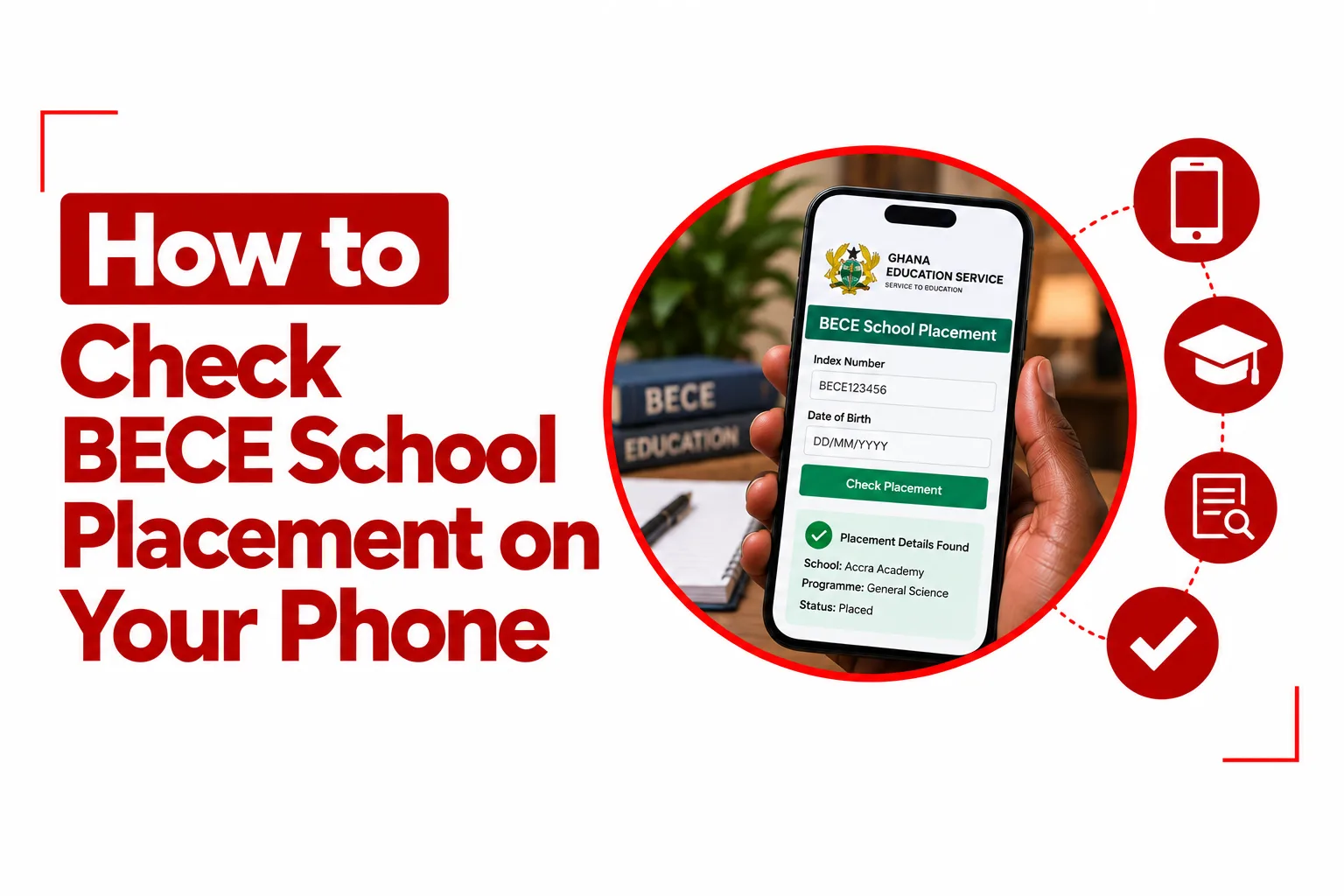

The wait for a BECE school placement can feel long, especially when you are eager to know the school and programme assigned to you. With a smartphone and an internet connection, you can check BECE school placement from anywhere without visiting a cybercafé or finding a computer.
In Ghana, the Computerized School Selection and Placement System, known as CSSPS, handles the placement of eligible BECE candidates into senior high schools and technical and vocational education and training institutions. The official portal allows you to view your placement details, including your assigned school, programme, and residence option.
Your BECE index number, examination year, and registered date of birth are the main details you need before you begin. If you are not placed automatically, the CSSPS portal also provides a Self Placement service where eligible candidates can choose from schools with available vacancies.
Quick Navigation
What You Need Before Checking Your Placement
Keep these details ready before opening the CSSPS portal:
- Your BECE index number
- The last two digits of your examination year
- Your date of birth exactly as it was recorded during BECE registration
- A phone with internet access
- A browser such as Chrome, Safari, or Opera
The current CSSPS login page uses a 12 digit login number made up of your 10 digit BECE index number followed by the last two digits of your examination year. It also asks for the date of birth linked to your candidate record.
How to Check BECE School Placement on Your Phone
Step 1: Open the CSSPS Website
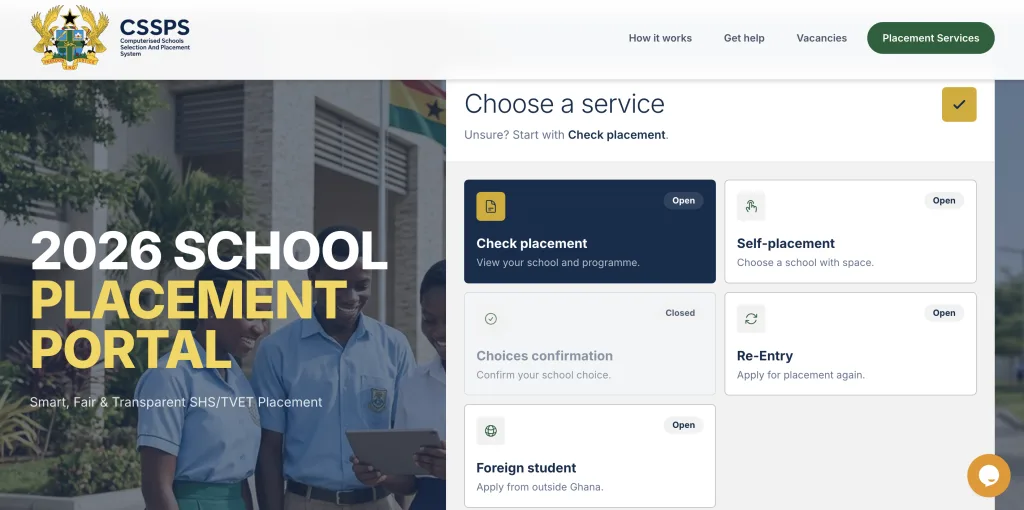
Open Chrome, Safari, Opera, or another mobile browser on your phone. Go to the official CSSPS website at cssps.gov.gh. The current portal provides a ‘Check Placement’ service for candidates who want to view their assigned school and programme.
Step 2: Select Check Placement
On the CSSPS homepage, choose ‘Check Placement’. You will be taken to the candidate login page, where you can enter your examination details.
Step 3: Enter Your BECE Index Number
Enter your full login number. This consists of your 10 digit BECE index number followed by the last two digits of your examination year. For example, if your 10 digit index number is 1000000000 and your examination year is 2026, your login number would end in 26. Make sure every digit is correct before continuing.
Step 4: Enter Your Date of Birth
Enter the date of birth you provided during BECE registration. Your date of birth must match the record held by CSSPS. An incorrect date can prevent the system from signing you in.
Step 5: Sign In
Tap ‘Sign in’ and wait for your placement information to load. If your placement has been released, the portal can show your assigned school, programme, residence type, and available placement documents.
What You Will See on Your Placement
Once your placement loads, check the information carefully.
You may see:
- Your assigned school
- Your programme
- Your residence type
- Placement documents available for download or printing
Take a moment to confirm that your personal details and school information are correct before saving the documents.
Related Article: How to Buy BECE Result Checker with MOMO
What If You Were Not Placed?
Candidates who were not automatically placed can use ‘Self Placement’ through the CSSPS portal. The current system also allows candidates who were placed outside their submitted choices to use Self Placement. The service shows schools and programmes with available vacancies.
How to Use Self Placement on Your Phone
- Open the official CSSPS website.
- Select Self Placement.
- Sign in with your BECE index number and date of birth.
- Select a region.
- Choose a school with an available vacancy.
- Select an available programme.
- Choose the available residence type.
- Review your selection carefully.
- Submit your choice.
- Return to Check Placement to view and print your updated placement documents.
The available schools and programmes are linked to current vacancies, so the options shown on the portal can change. If you already have an automatic placement, Self Placement is not intended for you. The CSSPS portal states that automatic placement is final, while Self Placement is available for candidates who were not placed or who were placed outside their submitted choices.
How to Save Your Placement Form on Your Phone
After your placement appears, download and save the available placement document. On Android, you can use Chrome’s print option and select Save as PDF. Store the file on your phone or back it up to Google Drive. On an iPhone, use Safari’s Share option and choose the available print or file saving option. You can keep the document in the Files app or back it up to iCloud.
Keep both a digital copy and a printed copy for the school admission process. CSSPS also advises candidates to save or print placement documents after completing the relevant service.
Related Article: How to Check BECE Results on Your Phone
Common Problems When Checking BECE Placement
Index Number or Details Not Found
First, check the 12 digit login number carefully. Confirm that your 10 digit BECE index number is followed by the correct two digits for your examination year. Also check your date of birth. The CSSPS support information specifically advises candidates to verify their index number and date of birth if the system says the details cannot be found.
Date of Birth Does Not Match
Use the exact date of birth submitted during BECE registration. If you are certain that your details are correct but the portal still rejects them, contact your school or CSSPS support for assistance instead of repeatedly entering another date.
The Website Is Slow
The placement portal can receive heavy traffic when many candidates are checking their results at the same time. If the page takes too long to load, close other browser tabs, check your internet connection, and try again later. You can also clear your browser’s cached site data if the page continues to behave incorrectly.
Placement Is Not Showing
First confirm that placement has been released for your examination year. If you have been released for placement but have not received an automatic school assignment, check the Self Placement service for available options.
Use the Official CSSPS Portal
Use the official CSSPS website when checking your BECE school placement. Avoid unofficial websites that ask for your index number, date of birth, payment details, or other personal information. The current official portal is cssps.gov.gh, and its candidate services include Check Placement, Self Placement, Choice Confirmation, Edit Choices, Re Entry, and Foreign Student services.
Your BECE placement can be checked from an Android phone or iPhone as long as you have your index number, examination year, date of birth, and an internet connection. Once your placement appears, save the placement documents so you have them ready when you begin the school admission process.