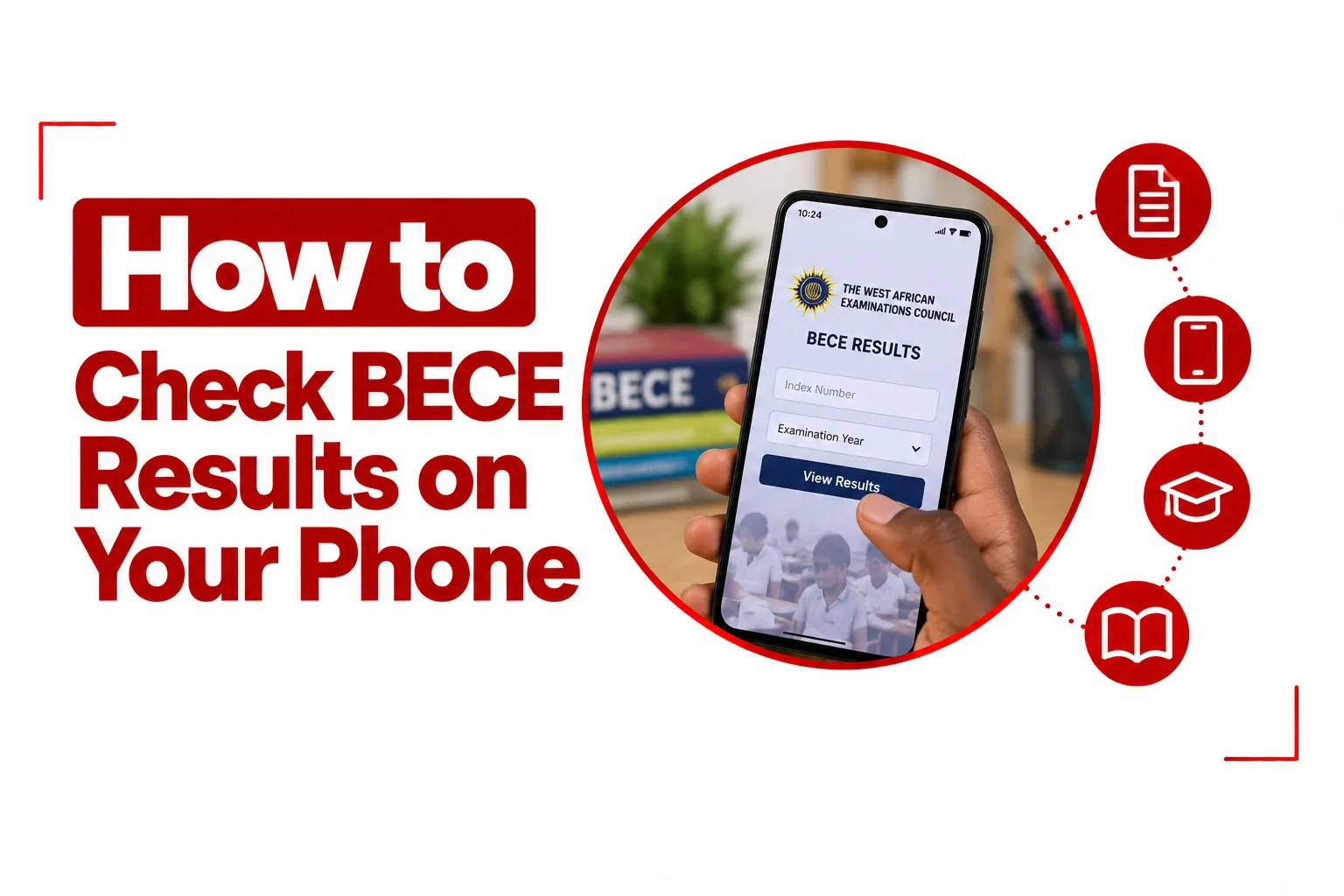

BECE results are now easier to access, and you can check BECE results on your phone without visiting a cybercafé or using a computer. All you need is a smartphone, an internet connection, your examination details, and the correct result checker credentials.
The Basic Education Certificate Examination, known as BECE, is administered by examination bodies such as WAEC in Ghana and NECO in Nigeria. The process for checking your result depends on the examination body that handled your exam, so using the correct official portal is important.
Before you begin, have your index or registration number, examination year, and result checker token, voucher, serial number, or PIN ready. Once those details are available, you can check your result from your phone and save a copy for future use.
Quick Navigation
What You Need Before Checking Your BECE Result
Have these details ready before opening the result portal:
- Your BECE registration number or index number
- The year you took the examination
- Your examination type
- Your result checker token, serial number, PIN, or access card, depending on the examination body
- A working internet connection
- A phone with a current web browser
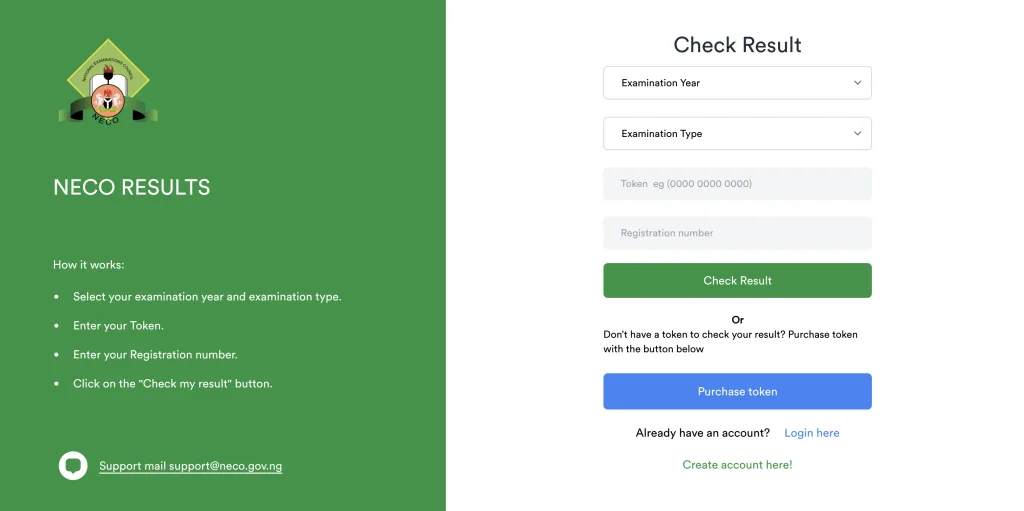
Ghanaian candidates checking through WAEC’s eResults portal need their index number, examination year, serial number, and PIN. Nigerian candidates using the NECO results portal need their examination year, examination type, token, and registration number. Keep your examination details somewhere safe while checking. Entering the wrong number can trigger an error even when your result is available.
How to Buy a BECE Result Checker Token on Your Phone
A result checker is usually needed before you can view an online BECE result. The purchasing process depends on the examination body and country.
Buy a BECE result checker online
Start with the official examination website and use its result checker or payment option. This is the safest way to make sure you are purchasing the correct type of access. For NECO Nigeria, the official results portal has a ‘Purchase token’ option for candidates who do not already have one. The portal then uses the token together with the candidate’s registration number to retrieve the result.
For WAEC Ghana, candidates can access BECE results through the WAEC eResults system using the required index number, examination year, serial number, and PIN. Your payment method can depend on the portal and the options available at the time. Mobile money, bank cards, and other electronic payment methods may be offered.
Related Article: How to Buy BECE Result Checker with MOMO
Can you buy a BECE result checker with USSD?
USSD can be used for some result voucher purchases through approved payment providers, especially in Ghana. However, there is no single WAEC BECE result checker code that works for every network and candidate.
Codes such as *899*550# and *920*227# have been used by mobile money voucher vendors in Ghana, but you should confirm that a shortcode is currently authorized and available before making a payment. A shortcode can change, and a code used by one payment provider may not work on another network.
The safer option is to start from the official examination website and use the available result checker purchase option. Do not send your mobile money PIN to anyone selling a result checker. Your payment PIN should only be entered into the secure prompt provided by your mobile network or payment service.
How to Check BECE Results on Your Phone
Once you have your result checker details, the actual process is straightforward.
Step 1: Open your mobile browser
Open Google Chrome, Safari, Opera, or another current browser on your phone. Make sure your internet connection is stable before you begin.
Step 2: Open the official result portal
Use the official portal for the examination body that conducted your BECE. For NECO Nigeria, use the NECO Results Portal. For WAEC Ghana, use the WAEC eResults portal.
Avoid clicking result checker links sent through random social media accounts, WhatsApp messages, Telegram groups, or unfamiliar websites. A page that asks for your examination details or payment information should be checked carefully before you enter anything.
Step 3: Select the examination year
Choose the year in which you took the BECE. Check the year carefully before moving to the next field. Selecting the wrong examination year can cause your details to be rejected.
Step 4: Select the examination type
Choose BECE where the portal provides an examination type option. NECO’s results portal asks you to select both the examination year and examination type before entering your token and registration number.
Step 5: Enter your registration or index number
Enter the number exactly as it appears on your examination documents. For WAEC Ghana, this is the candidate’s Index Number. For NECO Nigeria, the portal asks for the Registration Number. Check the digits before submitting the form. One incorrect digit can keep the system from finding your result.
Step 6: Enter your result checker details
Enter the result access information supplied with your purchase. For WAEC Ghana, the eResults portal asks for your Serial Number and PIN. For NECO Nigeria, enter your Token. Keep the original voucher or payment record after checking your result in case you need the details again.
Step 7: Submit your details
Tap Submit, Check Result, or the equivalent button displayed on the portal. The system should process your details and display your result when the information matches the examination record. Give the page a few seconds to load. Avoid tapping the submission button repeatedly if the page appears slow.
How to Check BECE Results on a Phone in Ghana
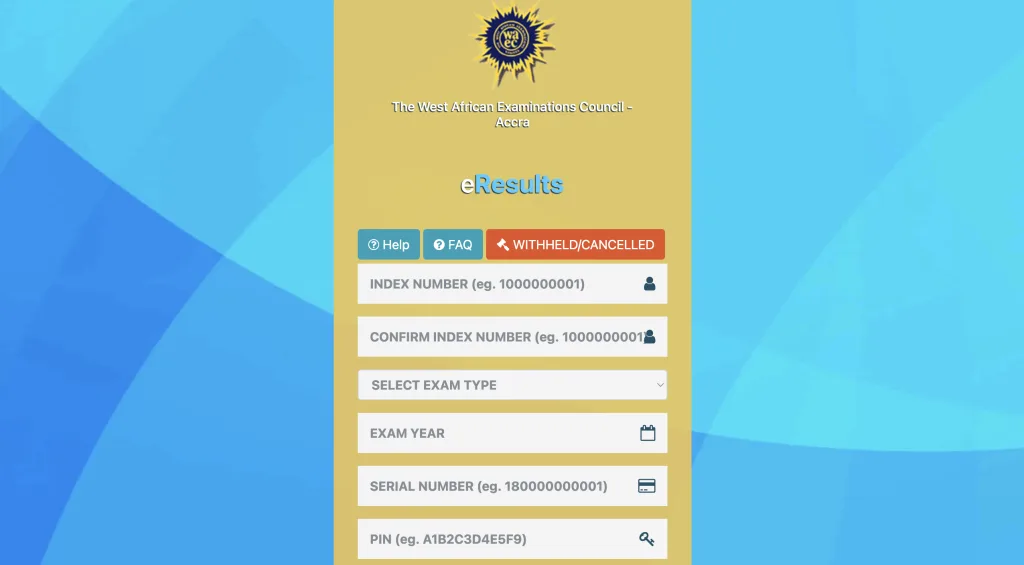
Ghanaian candidates can use the WAEC eResults portal from a mobile browser.
Open the WAEC eResults page and enter:
- Your Index Number
- Your Confirm Index Number
- Your Examination Year
- Your Serial Number
- Your PIN
Submit the form to view your result. The WAEC BECE School examination combines continuous assessment with the external examination. Candidates can access their results online, while school candidates also receive their statements of results through their schools. The WAEC system also covers BECE for Private Candidates, so select the appropriate examination details when prompted.
How to Check NECO BECE Results on a Phone
Nigerian candidates can check NECO results through the official NECO Results Portal.
Open the portal and select:
- Examination Year
- Examination Type
- Enter your Token
- Enter your Registration Number
- Tap Check my result
The NECO portal also provides a Purchase token option for candidates who do not already have one. One important distinction applies to Nigerian BECE candidates. NECO conducts the BECE for candidates in Federal Unity Colleges and other allied institutions. State Ministries of Education can run their own state level Junior WAEC examinations.
A candidate who sat for a state administered Junior WAEC should not expect the NECO result portal to display that result. The appropriate state education authority or school will provide the correct result checking method.
How to Save Your BECE Result on Your Phone
Once your result appears, save a copy before closing the page.
Save the result as a PDF on Android
On many Android phones:
- Open the browser menu.
- Tap Share or Print, depending on your browser.
- Select Print.
- Choose Save as PDF.
- Select a folder on your phone.
- Tap Save.
The exact menu can change between browsers and Android versions.
Save the result on an iPhone
On an iPhone:
- Open the sharing menu in Safari.
- Select Print.
- Use the print preview to create a PDF.
- Tap the sharing button.
- Select Save to Files.
- Choose a folder in iCloud Drive or on the iPhone.
You can also take a screenshot for quick reference, but a PDF or downloaded statement is more useful when you need to submit the result for school placement or another official purpose.
Related Article: How to Check BECE School Placement on Your Phone
How to Print Your BECE Result from Your Phone
You do not need to transfer the result to a computer before printing it. Save the result as a PDF first, then open the file on your phone and select Print. Your phone and printer must support the same wireless printing method. You can also send the PDF to a trusted print shop through email or a messaging service. Check the file before sending it and remove any unnecessary personal information from other documents in the same folder.
Common Problems With Checking BECE Results
Invalid PIN or token
An invalid PIN or token can result from a typing error, an incorrect examination year, or using the wrong type of result checker. Check every character carefully. Pay particular attention to letters and numbers that can look similar. For a newly purchased token, keep your payment confirmation. If the token does not work after you have confirmed the details, use the official support channel for the examination body or payment provider.
The result portal is not loading
Result portals can become slow when many candidates are checking results at the same time.
Try these steps:
- Check your internet connection.
- Close other browser tabs.
- Reload the page.
- Clear the browser’s site data if the problem continues.
- Try again later when traffic is lower.
- Use another browser if the page still refuses to load.
Do not buy another token simply because the website is slow.
The result says withheld
A withheld result does not mean you should immediately purchase another checker. Check the official examination body for information about withheld results and the next step. In Ghana, WAEC provides a dedicated section for withheld and cancelled results, including information related to investigations. Contact your school when you are unsure what a result status means. School administrators can help confirm the correct procedure.
Some results are missing
A result may not appear exactly as expected when there is an issue with a candidate’s examination record or when an examination body has placed a result under review. Do not alter your registration details or repeatedly submit different information. Keep your examination documents and contact your school or the examination body for assistance.
How Many Times Can You Use a BECE Result Checker?
Do not assume that every token has the same usage limit. The number of times a result checker can be used depends on the examination body, voucher type, and current rules attached to that result service. Check the conditions provided when you purchase the token. Avoid buying multiple tokens before confirming that your first token has actually been used up. Your payment receipt or voucher information can help if you need support later.
Your result checker PIN, token, registration number, and other examination details should be treated as private information. Use these precautions when checking your result:
- Use the official examination portal.
- Check the website address before entering your details.
- Avoid unofficial “free BECE result checker” websites.
- Do not share your result checker PIN with strangers.
- Do not give your mobile money PIN to a result checker vendor.
- Avoid paying through an unfamiliar WhatsApp or Telegram account.
- Keep your payment receipt until your result has been accessed successfully.
- Save a copy of your result after checking it.
- Contact your school or examination body when a result status is unclear.
A website offering a free token or asking you to provide sensitive account information should be treated with caution.
Can You Check BECE Results Without a Computer?
Yes. A smartphone with an internet connection is enough to check BECE results through the official online portal. For WAEC Ghana, the eResults system is designed for online result checking and asks candidates to enter their index number, examination year, serial number, and PIN. For NECO Nigeria, the results portal allows candidates to select the examination year and type, enter a token and registration number, and check the result directly.
Once your result appears, take a moment to save it to your phone. A PDF copy gives you something you can access later without returning to the results page. For school candidates, keep your original examination details and result checker information until the result has been accepted for the next stage of your education.
Most importantly, use the portal that belongs to the examination body that conducted your BECE. NECO results and state administered Junior WAEC results in Nigeria do not necessarily use the same system, while WAEC Ghana has its own eResults platform.