
Not Receiving OTP Messages can quickly turn a simple login or payment into a frustrating experience. One moment you’re trying to sign in to your bank account, email, or social media profile, and the next you’re stuck waiting for a verification code that never arrives.
In most cases, the problem has a simple explanation. It could be something as minor as poor network coverage or a temporary delay from your mobile carrier. In other situations, your phone settings, messaging app, or the service sending the code may be responsible. Fortunately, you can usually resolve this in just a few minutes.
This guide explains the most common reasons you’re not receiving OTP messages and the practical steps you can take to get verification codes arriving again.
Quick Navigation
Why Am I Not Receiving OTP Messages?
There isn’t just one reason OTP messages fail to arrive. Several factors can interrupt the delivery process.
Here are the most common causes.
Poor Network Signal
A weak mobile signal is one of the biggest reasons OTP messages are delayed or never delivered. If you’re in a basement, rural area, elevator, or building with poor reception, your phone may struggle to receive text messages. Try moving to an area with better signal strength and request a new OTP.
Your Mobile Number Is Incorrect
Double check the phone number linked to your account. A single incorrect digit means the verification code will be sent somewhere else, leaving you waiting for a message that will never arrive. If you’ve recently changed your phone number, update it in your account settings before requesting another OTP.
Airplane Mode Is Turned On
Airplane Mode disables your phone’s mobile connection. Without a cellular connection, SMS messages cannot reach your device. Turn Airplane Mode off, wait a minute for your network to reconnect, then request another verification code.
Do Not Disturb or Message Filtering
Some phones automatically filter messages from unknown senders or businesses. Although this does not always stop OTP messages, it can move them into a separate folder or hide notifications.
Check folders such as:
- Spam
- Junk
- Unknown Senders
- Filtered Messages
You may find the code waiting there.
How to Fix Not Receiving OTP Messages
Once you’ve identified the possible cause, try these solutions.
Restart Your Phone
Restarting your phone refreshes your network connection and fixes many temporary software glitches. Wait until your phone reconnects to your mobile network before requesting another OTP.
Check Your Mobile Signal
Look at the signal bars on your phone. If reception is poor, move closer to a window or go outside before requesting another verification code.
Turn Mobile Network Off and On
Refreshing your cellular connection can help your phone reconnect to the nearest mobile tower.
Simply:
- Open Settings.
- Turn Mobile Network off.
- Wait about 30 seconds.
- Turn it back on.
Now request a new OTP.
Make Sure SMS Inbox Isn’t Full
Older phones have a limit on how many text messages they can store. If your inbox is full, new messages may fail to arrive. Delete unnecessary conversations and try again.
Request a New OTP
Most verification codes expire after a few minutes. Instead of waiting indefinitely, request another code after the countdown finishes. Avoid tapping the resend button repeatedly, as some services temporarily pause new requests after several attempts.
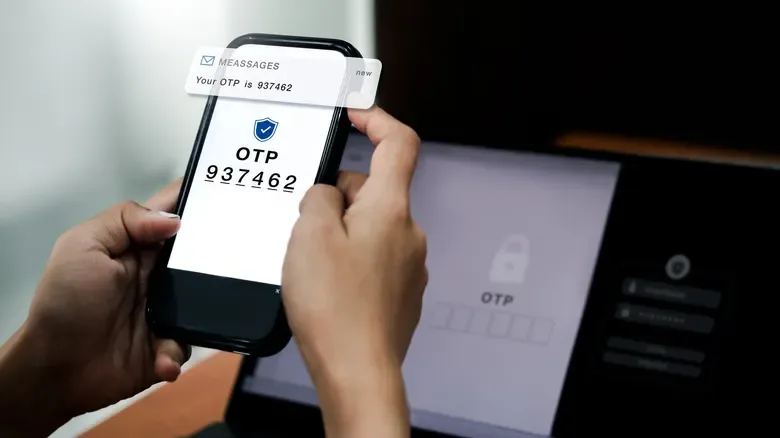
Why OTP Messages Arrive Late
Sometimes the message isn’t blocked at all. It’s simply delayed.
This can happen because of:
- Temporary carrier congestion
- High traffic on the service sending the OTP
- Network maintenance
- Poor signal during delivery
When this happens, the OTP may arrive several minutes later, although it may already have expired.
Why Your Carrier May Be Blocking OTP Messages
Some mobile carriers automatically filter suspected spam messages. Occasionally, legitimate OTP texts are affected.
Contact your mobile carrier if:
- You never receive OTPs from multiple companies.
- Friends can text you normally.
- Calls work without problems.
- The issue continues for several days.
Your carrier can check for SMS blocks or account restrictions.
Can Dual SIM Phones Cause OTP Problems?
Yes. If you use two SIM cards, make sure the correct phone number is linked to the account requesting the verification code. Also confirm that the SIM receiving SMS messages is active. Many OTP problems happen simply because the code was sent to the other SIM card.
Why Banks and Apps Limit OTP Requests
Banks and online services often place temporary limits on verification requests. This helps prevent fraud and automated attacks. If you’ve requested multiple codes in a short period, the service may temporarily stop sending new ones. Wait a few minutes before trying again.
How to Prevent OTP Problems
A few simple habits can reduce the chances of missing verification codes.
- Keep your phone number updated on your accounts.
- Maintain good cellular coverage whenever possible.
- Install software updates for your phone.
- Avoid deleting your default messaging app.
- Keep enough storage available for incoming messages.
- Don’t request multiple OTPs unless necessary.
Frequently Asked Questions
Why am I not receiving OTP messages even though I have network coverage?
The issue could be linked to your mobile carrier, incorrect phone number, message filtering, temporary server delays, or account restrictions.
Can WiFi affect OTP messages?
No. Standard OTP messages sent through SMS use your mobile network, not your WiFi connection.
Why do OTP messages arrive after they expire?
Network congestion or delays from your carrier can cause verification codes to arrive several minutes late.
Can I receive OTP messages while roaming?
Yes, provided SMS roaming is available on your mobile plan and your carrier supports it.
Why am I receiving calls but not OTP messages?
Voice calls and SMS messages use different systems. Your carrier may be experiencing an SMS issue even when calls are working normally.
What should I do if no OTP messages arrive from any app?
Restart your phone, check your mobile signal, confirm your phone number, review message filtering settings, and contact your carrier if the problem continues.
Not Receiving OTP Messages is often caused by network issues, incorrect account information, message filtering, or temporary delays from your carrier or the service sending the verification code. You can fix most of these problems without advanced troubleshooting.
Start with the simple checks, such as confirming your phone number, restarting your device, and checking your signal. If the issue continues across multiple services, your mobile carrier can help identify any SMS restrictions affecting your line. With the right fix, verification codes should start arriving normally again.