
MTN data finishing so fast has become one of the most common complaints among Nigerian mobile users, especially when a fresh bundle barely survives a couple of days. In almost every case, the network isn’t the culprit. The real cause sits inside your phone, in settings, background processes, and app behavior that quietly consume data without ever showing up on your screen.
This piece breaks down the actual reasons MTN data disappears fast and walks through exactly how to stop it.
MTN Data Getting Finished Quickly
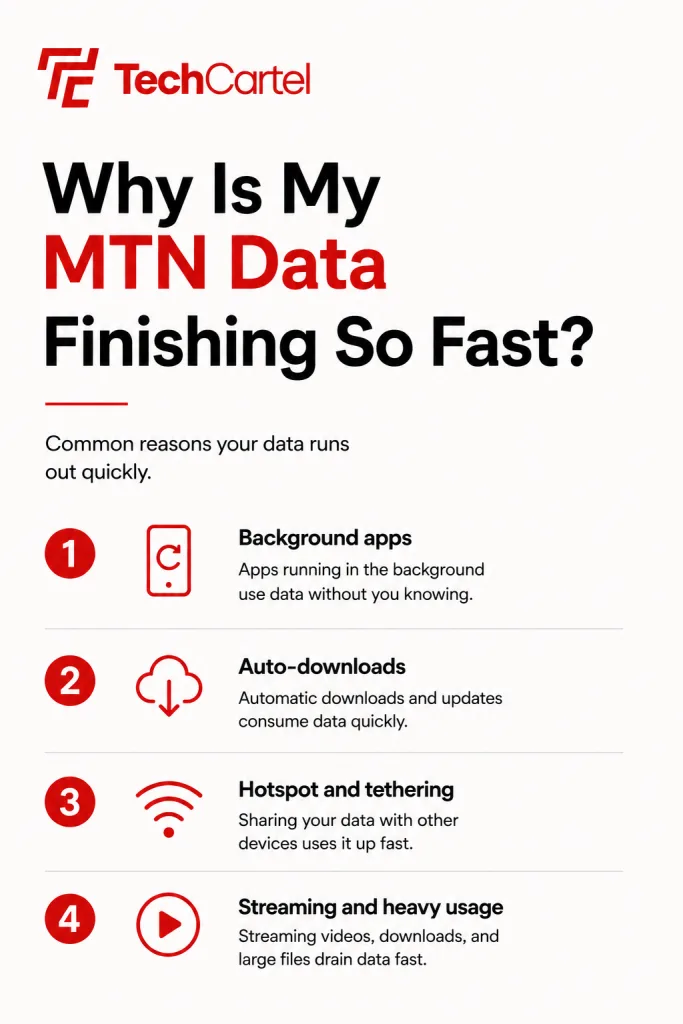
MTN data can run out quickly when apps use mobile data in the background, videos stream at high quality, or large files download without you noticing. Check these common causes first:
- Video streaming: YouTube, TikTok, Instagram, and Netflix can use a lot of data, especially at higher video quality.
- WhatsApp media: Automatic downloads of videos, photos, documents, and voice messages can consume data quickly.
- Background app activity: Some apps continue refreshing, syncing, or downloading content even when you are not actively using them.
- App updates: Automatic updates can use mobile data when your phone is not connected to WiFi.
- Cloud backups: Google Photos, iCloud, and other backup services can upload photos and videos using mobile data.
- Hotspot use: Other phones, laptops, or smart devices connected to your hotspot can use your MTN data without you noticing.
- Poor WiFi connection: Some phones can switch to mobile data when WiFi is weak, depending on the settings enabled.
- Large downloads: Software updates, games, videos, and other large files can consume a significant amount of data in a short time.
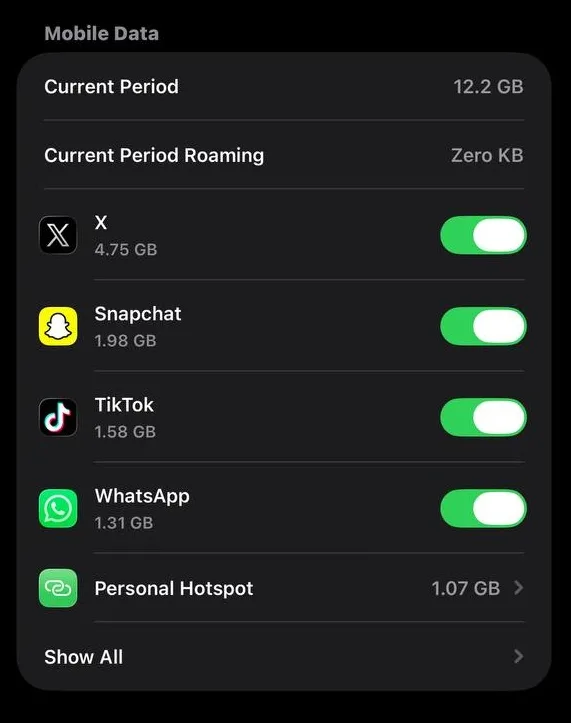
Check your phone’s Data Usage section to see which apps have consumed the most mobile data. This can help you identify the biggest source of the problem instead of guessing.
What Causes MTN Data To Drain So Quickly On 4G And 5G?
Faster networks come with a hidden cost. Once your phone connects to MTN’s 4G or 5G signal, apps like YouTube, TikTok, and Netflix sense the improved speed and automatically switch to higher resolution streaming, sometimes jumping straight to 1080p or even 4K without asking.
On top of that, these apps preload several minutes of video ahead of what you’re currently watching. Scroll past a clip after only five seconds and your phone may have already pulled down fifty to a hundred megabytes in the background. The irony is that a faster connection often burns through a bundle quicker than a slower one would.
Related Article: MTN ODU Router: Price, Speed, and Subscription Plans
Are App Store Updates Eating My MTN Data?
Both the Google Play Store and the Apple App Store often come set to download updates automatically, and most people never check that setting after setting up a new phone. Modern apps, especially games and social media platforms, routinely weigh anywhere from 150 megabytes to over a gigabyte per update.
A single background update session while you sleep can wipe out an entire weekly bundle before morning. Switching this to Wi-Fi only downloads is one of the fastest fixes available, and it takes less than a minute to set up on either platform.
Why Do Apps Use Data When I’m Not Using My Phone
Social apps like Instagram, TikTok, Facebook, and X refresh their feeds and check for new notifications even while your screen is locked and the app sits untouched in the background. Email clients and messaging apps do the same thing. With fifteen to twenty apps installed on an average phone, this quiet syncing can add up to 300 megabytes to a full gigabyte a day, all without you opening a single app on purpose.
Does Autoplay Video Use A Lot Of Data?
Yes, and more than most people realize. TikTok, Instagram Reels, Facebook, and X all play video automatically the moment it appears on screen, no tap required. A single sixty second high definition reel can use thirty to eighty megabytes, so twenty or thirty minutes of casual scrolling can quietly cost you 500 megabytes to a full gigabyte. This one habit alone accounts for a large share of unexplained data loss.
How Do Cloud Backups Affect My MTN Bundle
Google Photos, iCloud, and WhatsApp are all built to back up new photos and videos the moment they land on your device. Take a handful of high resolution pictures or receive a few HD videos over WhatsApp, and your phone may quietly upload several hundred megabytes in the background without any prompt or warning.
Why Does Hotspot Use So Much Data
Connecting a laptop or tablet to your MTN hotspot treats that connection like an unlimited home Wi-Fi link as far as the connected device is concerned. Laptops immediately kick off background tasks such as Windows Update, macOS syncing, and dozens of open browser tabs refreshing themselves, all of which can burn through gigabytes in minutes once tethered.
Related Article: How to Know Who is Sharing Your Mobile Data Without Permission
What Is Wi-Fi Assist And Should I Turn It Off
iPhones have a feature called Wi-Fi Assist, and Android has something similar called Switch to Mobile Data. Both automatically route your traffic through mobile data the moment your Wi-Fi signal weakens or drops, even briefly. Many people assume they’re still browsing on their home or office network while their phone quietly draws from their MTN bundle in the background.
Why Did My Bonus Data Disappear So Fast?
Many MTN promotions hand out bonus data with tight validity windows, sometimes valid for only twenty four hours or restricted to certain hours like 11pm to 6am. Once that bonus window closes, the system automatically starts deducting from your main bundle instead, which makes it look like your data vanished when it actually just switched buckets.
Related Article: MTN Nigeria Unlimited Data: Availability, Cost, and How to Subscribe
How Can I Stop My MTN Data From Finishing Fast?
A few changes to your phone and app settings can help your data last longer:
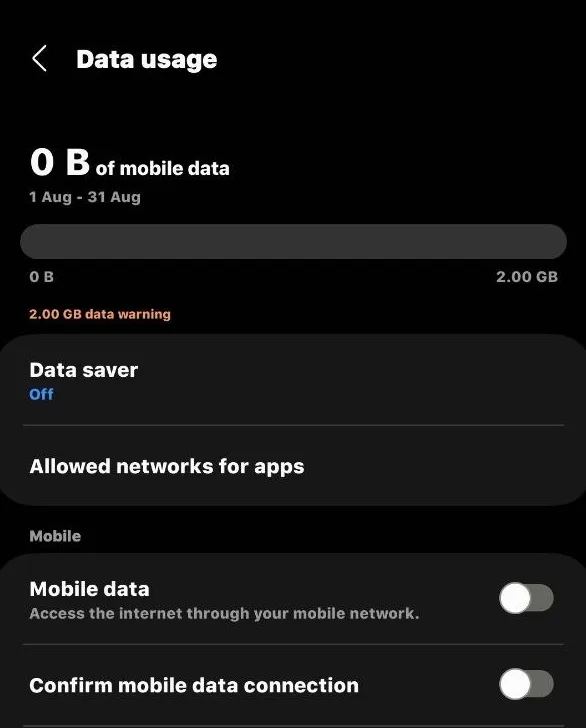
- Turn on Data Saver: Android phones have Data Saver, while iPhones have Low Data Mode. Both can reduce background data use.
- Use WiFi for updates: Set Google Play Store or App Store updates to happen over WiFi only.
- Turn off WiFi Assist: On iPhone, disable WiFi Assist so your phone does not use mobile data when the WiFi connection is weak.
- Limit WhatsApp downloads: Go to WhatsApp > Settings > Storage and Data and stop photos, videos, audio, and documents from downloading automatically over mobile data.
- Use data saver modes: YouTube, Instagram, and TikTok have settings that can reduce mobile data use.
- Set cloud backups to WiFi: Configure Google Photos, iCloud, and similar backup services to upload photos and videos over WiFi only.
How Do I Check What’s Using My MTN Data
Android users can check Settings, then Network and Internet, then App Data Usage for a ranked breakdown of exactly which apps used the most data over the past thirty days. iPhone users can find similar numbers under Settings and Cellular, scrolling down to see usage per app for the current period. For official balance checks, the MyMTN app or MTN’s network shortcodes give a more accurate picture than any third party tracker.
Fast draining data usually comes down to a combination of small settings left on default. Once auto-updates, background refresh, autoplay video, and Wi-Fi Assist are switched off, most users notice their bundle lasting noticeably longer within a day or two. A quick check through your usage stats every so often also helps catch any new app or habit before it becomes a bigger drain.