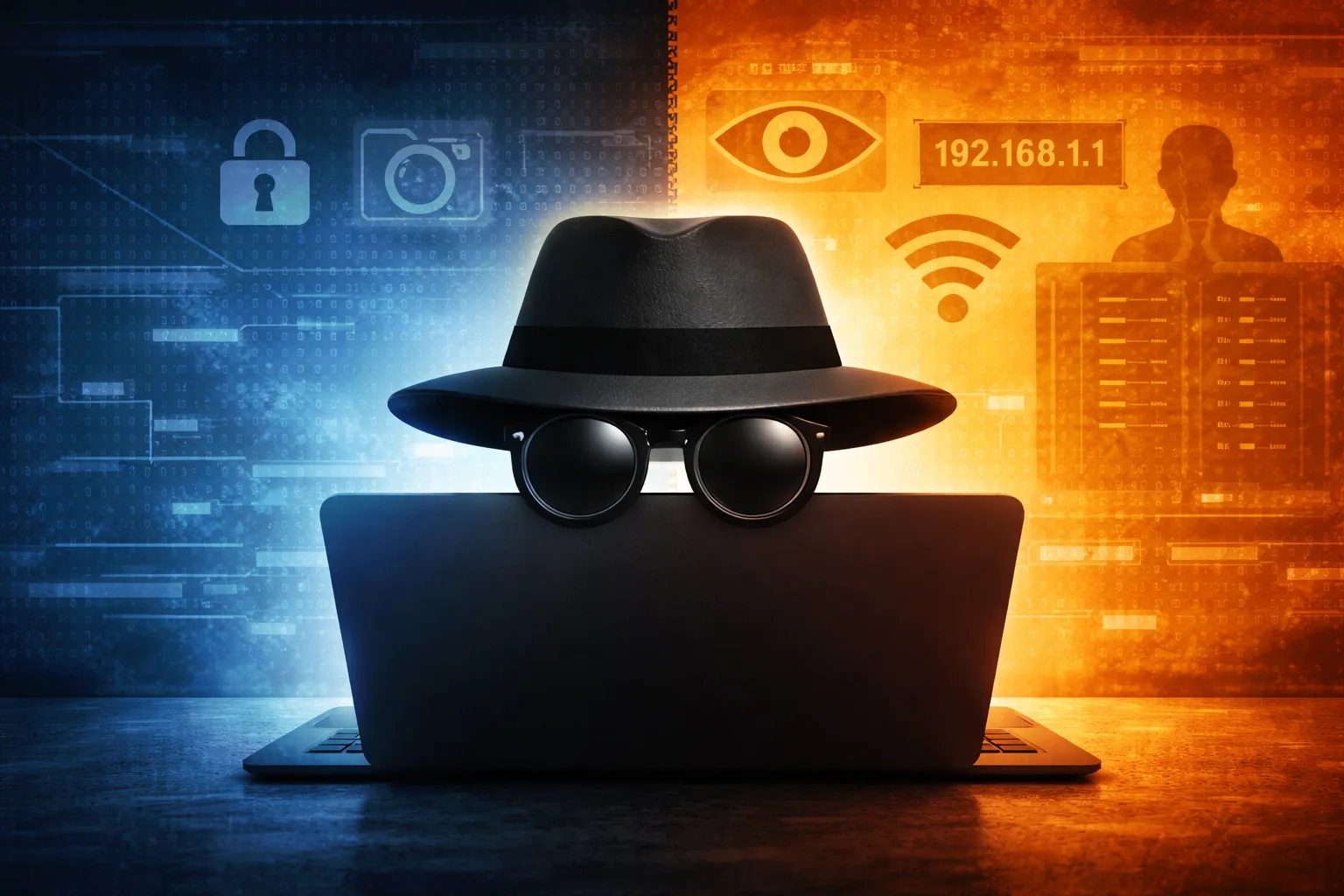

You’ve probably used incognito mode before. Maybe you were shopping and didn’t want ads following you around. Or maybe you just wanted to search for something without it showing up in your browser history later. Whatever the reason, you clicked that little incognito icon and felt a bit safer, a bit more private. But here’s the uncomfortable truth: incognito mode protects far less than most people think it does.
The name itself is misleading. “Incognito” suggests invisibility, like you’re wearing a disguise that hides you from everyone online. The reality is much more limited. Incognito mode is less like wearing a mask in public and more like erasing the whiteboard after a meeting. The people in the room still saw everything that happened. They just won’t find notes about it later. Understanding exactly what incognito mode hides and what it leaves completely exposed is essential if you actually care about online privacy. Let’s break down the truth.
What Does Incognito Mode Actually Do?
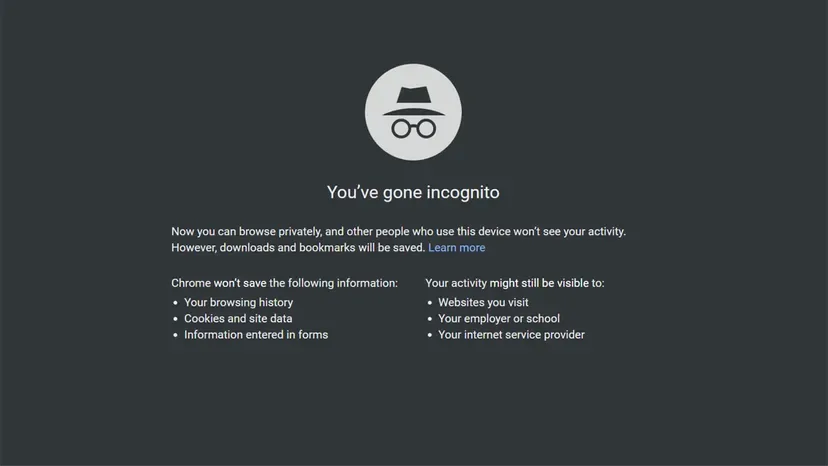
Incognito mode, also called private browsing in Firefox or InPrivate browsing in Edge, does exactly one thing well: it prevents your browser from storing certain information locally on your device after you close the incognito window.
When you browse in incognito mode, your browser doesn’t save your browsing history. The websites you visit won’t appear in your history list. It doesn’t save cookies after you close the window, which means websites won’t remember that you logged in or what items you put in your shopping cart. It doesn’t save data you entered into forms, like addresses or search queries. And it doesn’t save files you downloaded to its download history, though the actual files still exist on your computer unless you delete them manually.
This is useful in specific situations. If you share a computer with family members or roommates, incognito mode prevents them from seeing which websites you visited when they check the browser history. If you’re using a public computer at a library or internet cafe, closing an incognito window erases your traces from that device.
But that’s where the protection ends. Incognito mode only cleans up after you on the device you’re using. It does absolutely nothing to hide your activity from anyone else.
Who Can Still See Everything You Do in Incognito Mode?
This is where most people’s understanding of incognito mode falls apart completely. You might feel invisible, but you’re not. Here’s everyone who can still track exactly what you’re doing online, even in incognito mode.
Your Internet Service Provider Sees Everything
Your internet service provider, the company you pay for internet access can see every website you visit in incognito mode. When you type a web address or click a link, that request travels through your ISP’s servers. They can log every single site you access, what time you accessed it, and how long you stayed.
Incognito mode does nothing to hide this. Your ISP sees identical traffic whether you’re browsing normally or in incognito mode. In Canada, ISPs are subject to data retention laws and can be compelled to hand over your browsing records to law enforcement. In Nigeria, there are similar regulations. Your incognito session offers zero protection from ISP monitoring.
The Websites You Visit Know You’re There
When you visit a website in incognito mode, that website knows you visited. It sees your IP address, which reveals your approximate location and your internet provider. It can track which pages you viewed, how long you spent on each page, and what links you clicked.
Many websites use browser fingerprinting, a technique that identifies you based on your browser version, installed fonts, screen resolution, time zone, language settings, and dozens of other data points. Even without cookies, your browser fingerprint is often unique enough to track you across sessions. Incognito mode doesn’t change your fingerprint at all.
If you log into any account while in incognito mode, you’ve completely defeated any privacy benefit. The website now knows exactly who you are and can track everything you do during that session.
Your Employer or School Can Monitor You
If you’re using a work computer or connected to your company’s network, your employer can see your incognito browsing. Most corporate networks use monitoring software that logs all internet traffic passing through the network, regardless of browser mode.
The same applies to school networks. IT departments can see which websites students access on school wifi, even in incognito mode. Some organizations even use software that takes screenshots or records keystrokes, which incognito mode does nothing to prevent.
Google, Facebook, and Other Tech Companies Track You
If you visit any website with embedded Google Analytics, Facebook pixels, or similar tracking tools, those companies can track you even in incognito mode. These trackers don’t rely on browser history. They use your IP address and browser fingerprint to follow you across the web.
Google knows which YouTube videos you watch in incognito mode. Facebook knows which websites with Facebook login buttons you visit. Amazon knows which products you browse. Incognito mode doesn’t block any of this tracking.
Government Agencies and Law Enforcement
If you’re doing something illegal online, incognito mode offers zero protection from law enforcement. Police can subpoena your ISP for browsing records. They can obtain data from websites you visited. They can analyze network traffic. Incognito mode is not a tool for hiding criminal activity, and anyone who thinks it is will learn that lesson the hard way.
What About VPNs? Do They Actually Work?
This is the natural follow-up question. If incognito mode doesn’t hide you from ISPs, websites, or trackers, what does?
A VPN, or virtual private network, creates an encrypted tunnel between your device and the VPN server. Your ISP can see that you’re connected to a VPN, but they can’t see which websites you’re visiting. The websites you visit see the VPN server’s IP address instead of your real IP address, which hides your location and identity.
A VPN combined with incognito mode provides better privacy than either tool alone. The VPN hides your activity from your ISP and masks your IP address from websites. Incognito mode prevents local storage of your browsing data. Together, they offer reasonable privacy for everyday use.
But VPNs aren’t perfect either. The VPN company itself can see all your traffic, so you’re trusting them instead of your ISP. Free VPNs often sell your data to advertisers, completely defeating the purpose. And if you log into personal accounts while connected to a VPN, websites can still identify and track you.
When Is Incognito Mode Actually Useful?
Even with its limitations, incognito mode does serve legitimate purposes in specific situations.
If you’re shopping and don’t want targeted ads, incognito mode prevents advertisers from building a profile based on your browsing history on your device. The ads won’t follow you across websites you visit later in normal browsing mode. If you need to log into multiple accounts on the same website simultaneously, incognito windows let you stay logged into different accounts at the same time. One window can be logged into your personal Gmail while an incognito window accesses your work Gmail.
If you’re using someone else’s computer and need to check your email or social media, incognito mode ensures you don’t leave your login credentials saved on their device. Just remember to actually log out before closing the window. If you’re a web developer testing how websites appear to users who aren’t logged in or don’t have cached data, incognito mode provides a clean testing environment.
These are all valid uses. The problem isn’t that incognito mode is useless. The problem is that people think it does far more than it actually does.
What Should You Use Instead for Real Privacy?
If you actually want online privacy, you need to layer multiple tools and practices. Use a reputable VPN to hide your traffic from your ISP and mask your IP address from websites. Choose a paid VPN with a clear no-logs policy and a track record of protecting user privacy. Use privacy-focused browsers like Brave or Firefox with strict tracking protection enabled. These browsers block many trackers and fingerprinting attempts by default.
Use search engines like DuckDuckGo or Brave Search that don’t track your searches or build advertising profiles. Don’t log into personal accounts when you want to browse privately. The moment you log in, your identity is linked to that session, and incognito mode or VPNs become irrelevant. Use Tor Browser for maximum anonymity, though it’s significantly slower than normal browsing. Tor routes your traffic through multiple servers, making it extremely difficult to trace back to you.
Most importantly, understand that perfect privacy online doesn’t exist. Every tool has limitations. The goal isn’t invisibility. The goal is making it harder and more expensive for companies to track you, which discourages mass surveillance even if it can’t prevent targeted investigation.
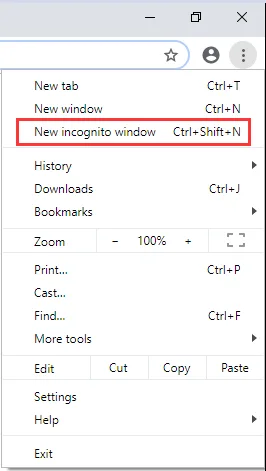
Does Incognito Mode Protect You on Mobile?
The same rules apply on phones and tablets. Incognito mode in Chrome, private browsing in Safari, or private tabs in Firefox on mobile devices only prevent local storage of browsing data. Your mobile carrier can see which websites you visit, just like your home ISP can. Apps on your phone can track you regardless of browser mode. If you’re connected to wifi, the network owner can monitor your traffic.
Mobile operating systems also collect data. Google tracks Android users across apps and websites. Apple collects less data than Google but still knows a lot about how you use your iPhone. For better mobile privacy, use a VPN app, install privacy-focused browsers, limit app permissions, and disable location tracking when you don’t need it.
Online privacy is a constant trade-off between convenience and protection. Using Google services, social media, and modern websites almost always means accepting some level of tracking and data collection. Incognito mode is a small tool with a specific, limited purpose. It hides your browsing history from other people using the same device. That’s it. It doesn’t make you anonymous. It doesn’t stop tracking. It doesn’t hide you from ISPs, websites, employers, or governments.
Understanding these limitations helps you make informed decisions about when incognito mode is useful and when you need better privacy tools. Don’t rely on it for anything beyond clearing local browsing data. And if you need privacy for sensitive activities, layer multiple tools, stay educated about new threats, and remember that the companies offering “free” services are making money from your data somehow.
The internet was never designed for privacy. Every click, search, and page view generates data that someone wants to collect, analyze, and monetize. Incognito mode won’t change that. But knowing exactly what it does and doesn’t protect helps you browse safely.