
Why Is My Glo Network So Slow? A slow Glo connection can make browsing, streaming, messaging, and downloading frustrating. You may notice that websites take longer to load, videos keep buffering, or apps take longer than usual to connect.
The problem can come from the network in your area, your phone settings, your APN configuration, your SIM, or the amount of data activity taking place on your phone. A weak signal or network congestion can also affect your connection speed.
Before contacting Glo customer support, there are several things you can check on your phone.
Why Is My Glo Network So Slow?
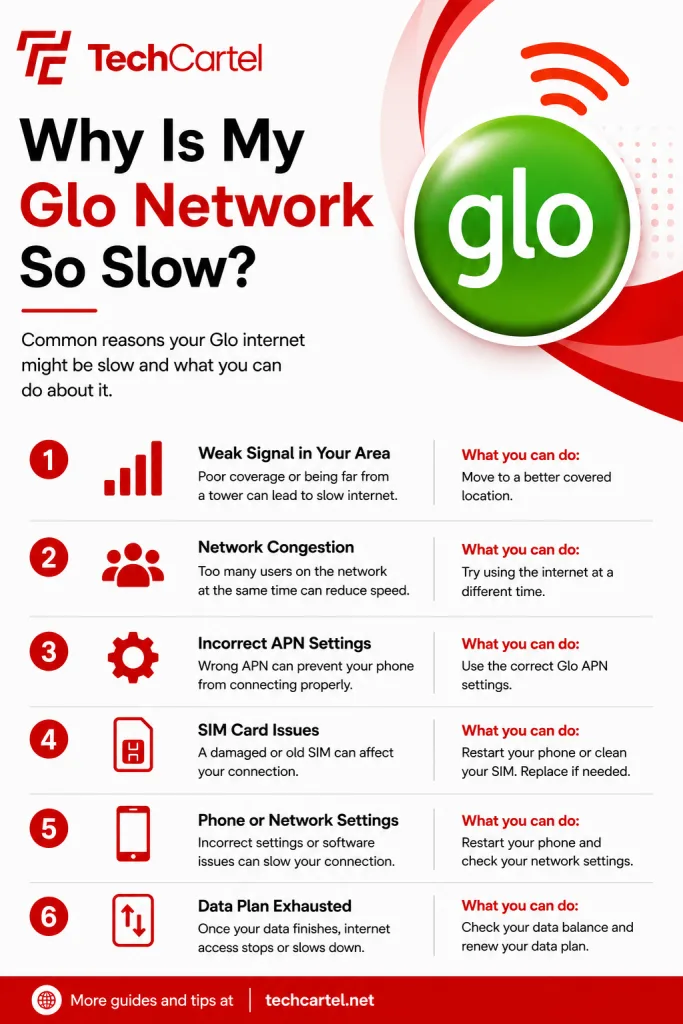
A slow Glo connection can be linked to several things, including:
- Weak network signal in your location
- Network congestion
- Incorrect APN settings
- Phone network settings
- Heavy data activity
- Large downloads or uploads
- Video and music streaming
- Software updates
- A problem with your phone or SIM
Start by checking your signal, phone settings, APN, and data balance. Then test more than one website or app.
Can My Location Make Glo Internet Slow?
Yes. Your location can affect your Glo internet experience because network coverage and signal strength can differ between locations. Try using your phone in another nearby location and check the connection again.
If the connection improves after you move, the network conditions at your original location may be contributing to the problem.
Can Network Congestion Make Glo Slow?
Yes. Network congestion can slow down your connection, particularly when network usage is high in your area. If your connection is slow in one location, test it in another location. You can also check it again later. These simple tests can help you find out if the problem is connected to the network conditions around you.
Can Wrong Glo APN Settings Cause Internet Problems?
Yes. APN settings are used by your phone to connect to mobile internet. Incorrect settings can prevent your phone from connecting properly.
For Glo smartphones and tablets, use:
APN: APN
Username: Flat
Password: Flat
If you have changed your APN settings, check them against these details. The steps for opening the APN menu depend on your phone.
Can My Glo Data Finish and Affect My Internet?
Yes. Once your data bundle is exhausted, your normal bundle based internet access stops. You can then buy another data plan, use an available data borrowing option, or use Pay As You Go browsing if it is available on your line. Before changing your network settings, check that you still have an active data bundle.
Related Article: How to Stop Auto-Renewal on Glo Network
Can Background Apps Use My Glo Data?
Yes. Apps can use mobile data for downloads, uploads, syncing, updates, and other online activities. Software updates, video downloads, music streaming, online gaming, large email attachments, and VPN activity can all use mobile data.
Check your phone’s mobile data usage to see which apps are using the most data. If an app is using a large amount of mobile data, check its settings and restrict background mobile data when appropriate.
Can Video Streaming Make Glo Internet Slow?
Video streaming can use a large amount of mobile data. Watching or downloading online videos, including YouTube and Netflix, can consume significant amounts of data. Music streaming, software updates, online gaming, large email attachments, and VPN activity can also use substantial amounts of data. If your phone is streaming or downloading several things at once, pause activities you are not using.
Why Is My Glo Network Slow on One App?
A problem with just one app does not necessarily mean your Glo connection is slow. Test another website or app to see if they load normally. When everything else works but one app remains slow, check the app for updates and review its settings. Widespread slowness across several apps and websites points you toward your Glo signal, network settings, APN, or data balance.
Can My Phone Cause Glo Internet Problems?
Your phone’s network settings can affect its mobile internet connection.
Start with these checks:
- Turn mobile data off and back on.
- Restart your phone.
- Check your mobile network settings.
- Check your Glo APN settings.
- Check your Glo data balance.
- Test the connection in another location.
- Try more than one website or app.
These checks can help you narrow down the source of the problem.
Related Article: Glo MiFi Data Plans: Prices, Activation Codes, and Validity
Can My Glo SIM Cause Internet Problems?
Your SIM can also be checked when you are troubleshooting a persistent connection problem. If your SIM is damaged or you continue having connection problems after checking your phone and network settings, contact Glo customer care or visit a Gloworld shop for assistance.
How Do I Fix a Slow Glo Network?
Start with these checks:
- Check your Glo data balance.
- Turn mobile data off and back on.
- Restart your phone.
- Check your mobile network settings.
- Check your Glo APN settings.
- Stop large downloads and uploads.
- Pause streaming you are not using.
- Test the connection in another location.
- Try more than one website or app.
- Contact Glo if the problem continues.
How Do I Check My Glo Data Balance?
You can check your Glo data balance in several ways:
- Send info to 312 by SMS.
- Dial *312# or *323*0#.
- Visit hsi.glo.com.
- Use the Glo Café App.
Related Article: How to Know Who is Sharing Your Mobile Data Without Permission
How Do I Buy Glo Data?
Dial *312# and follow the prompts to buy a Glo data bundle. You can also buy data through the Glo Café App, hsi.glo.com, or the available SMS option. The available plans can change, so check the current data options before subscribing.
When Should I Contact Glo About Slow Internet?
Contact Glo when your connection remains slow after checking your data balance, phone settings, APN, and connection in another location. You can call 300 from a Glo line for customer support. If you are calling from another network, the prepaid customer care number listed by Glo is 0805 002 0121.
A slow Glo connection can be linked to local network conditions, congestion, APN settings, phone settings, data activity, or an issue with your SIM or device. Start by checking your data balance, mobile network settings, APN, and signal. Then test the connection in another location and try more than one website or app. If the problem continues, contact Glo customer care on 300 from your Glo line.